

Go back to an older version
Updated November 13, 2026
Every save of a drawing in MyCloudSuites is kept for 30 days.
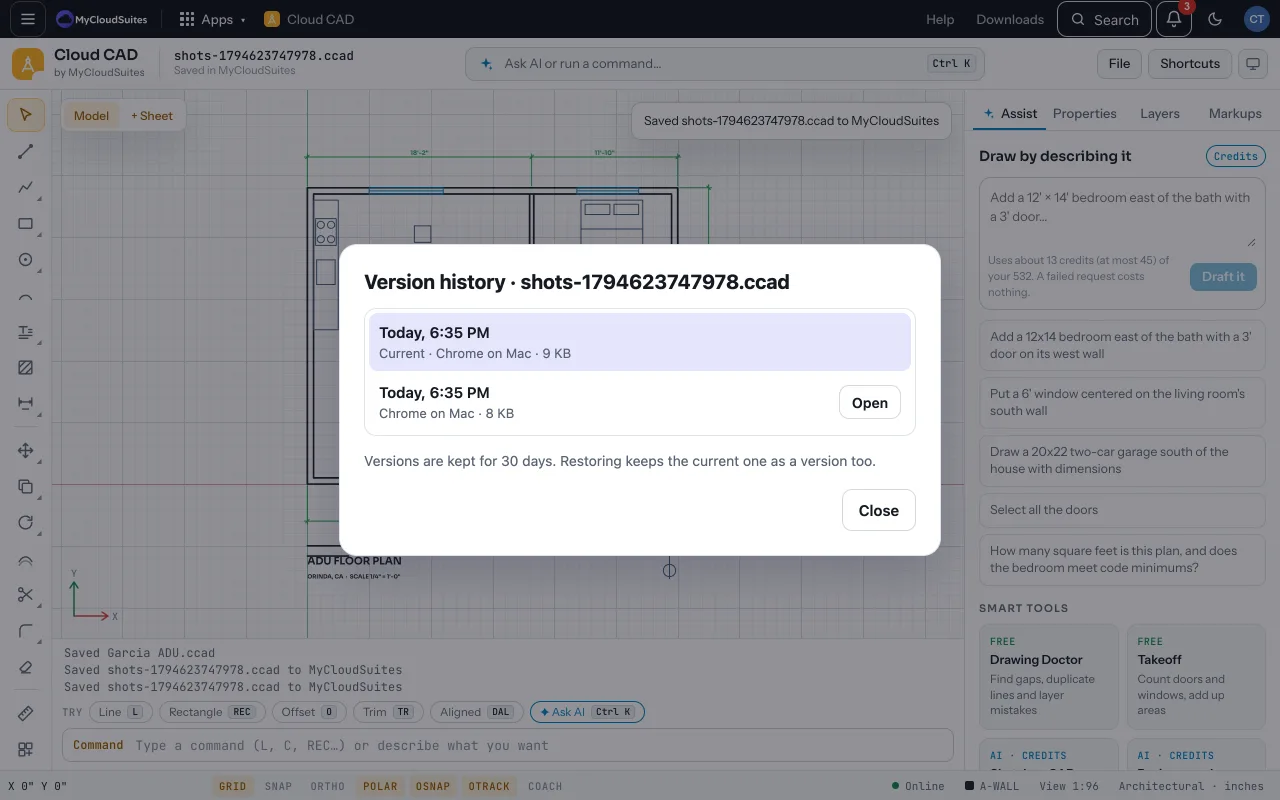
Look at older versions
- Open the drawing from MyCloudSuites and choose File › Version history….
- Each save is listed with when it was made.
- Open brings that version in as a copy, named “(older version)”, so you can look or copy from it. Save it to keep it.
- Restore makes it the current version again. The one before is kept as a version too.
Tips
- The menu item shows for drawings opened from or saved to MyCloudSuites.
- If the drawing has changes not saved, Cloud CAD asks first.
Need more? Save to MyCloudSuites, or contact us.