

What’s left: everything you said you’d do
Updated November 13, 2026
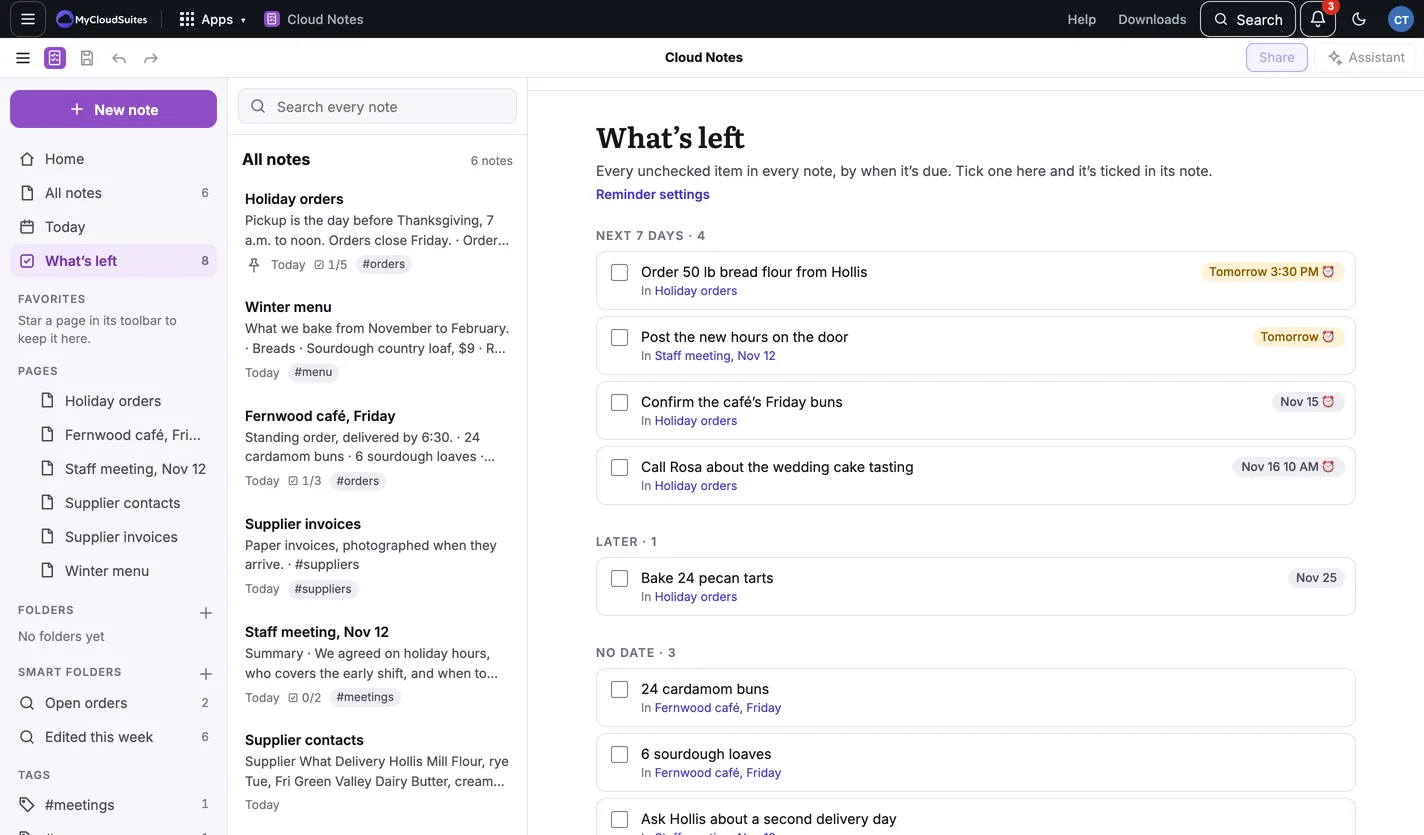
What’s left in the sidebar gathers every unchecked checklist item from every note.
How it’s sorted
- Due today or earlier, Next 7 days, Later and No date.
- Each item says which note it’s in. Choose the note’s name to open it.
- A reminder’s time shows beside its date, for example Tomorrow 3:30 PM.
Tick things off
Tick an item here and it’s ticked in its note.
Tips
- Give items a due date to see them in the right group: see Checklists and due dates.
- Reminder settings at the top of What’s left sets when reminders come. See Reminder settings.
Need more? Reminders, or contact us.