

Bring your data from another CRM
Updated November 15, 2026
Import people and deals from a CSV file, from another CRM or any spreadsheet.
How it works
- Export a CSV file from your old CRM or spreadsheet.
- In Cloud CRM, choose ⋯, then Import CSV… (on Pipeline for deals, on Contacts for people), or go to Settings › Import and export.
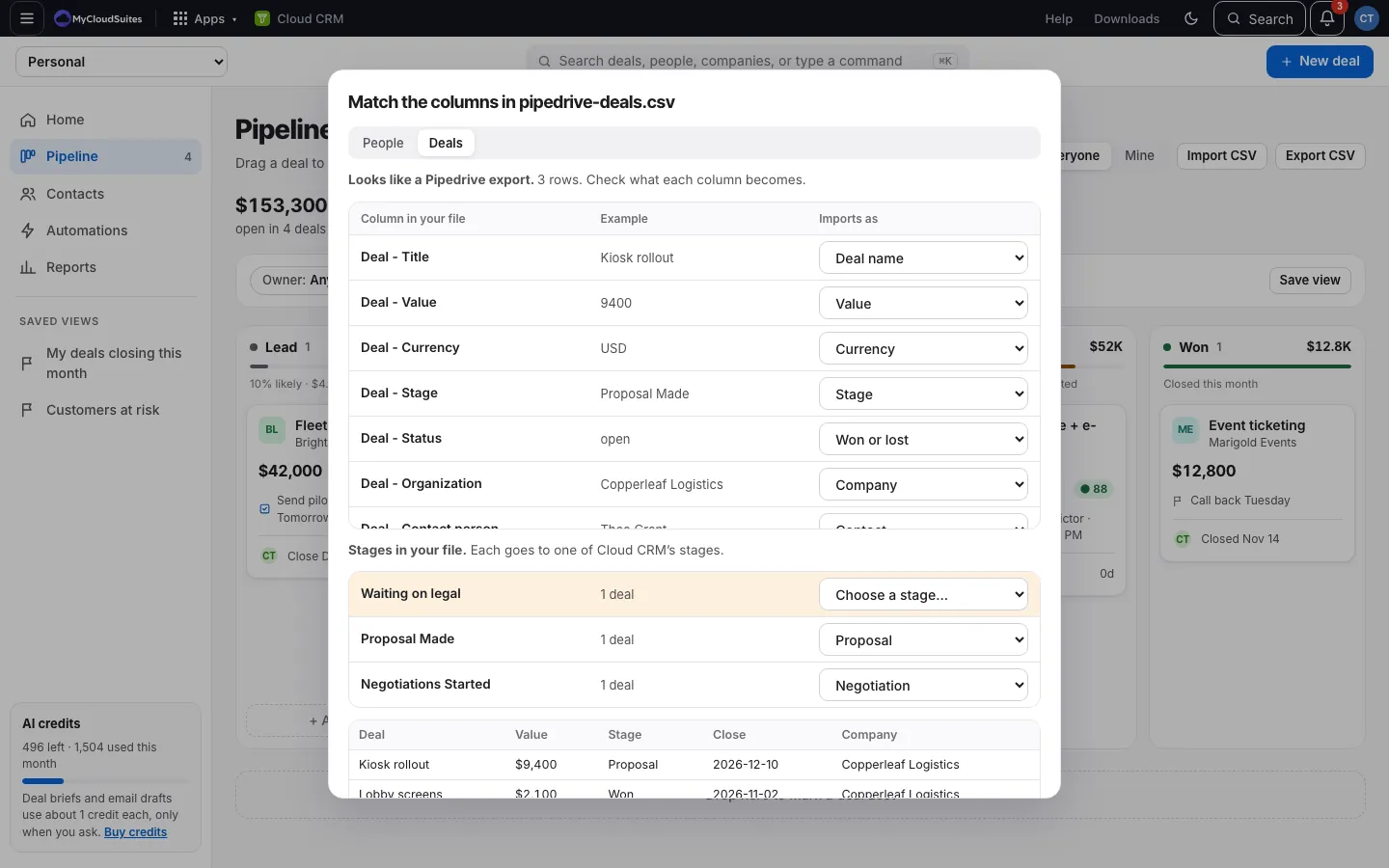
- Choose the file. Cloud CRM recognizes exports from HubSpot, Salesforce, Pipedrive, Zoho, Monday, Google Contacts and Outlook, and matches their columns for you. With any other file, you match the columns yourself.
- Check the matches and stages, then import.
- Not right? Undo it for 7 days.
Read more
- Import people
- Import deals
- Match your columns
- Match your stages
- Owners, notes and dates
- Import the same file again
- Undo an import
- When rows are left out
Good to know
- A file can have up to 2,000 rows and 10 MB. Split bigger files.
- The file needs a header row (the column names) on top.
- Imported deals don’t set off automations, so importing old wins won’t make invoices.