

Looks: one-tap styles
Updated November 13, 2026
A look is a set of Adjust settings in one tap. You see each look on your own photo before you pick it.
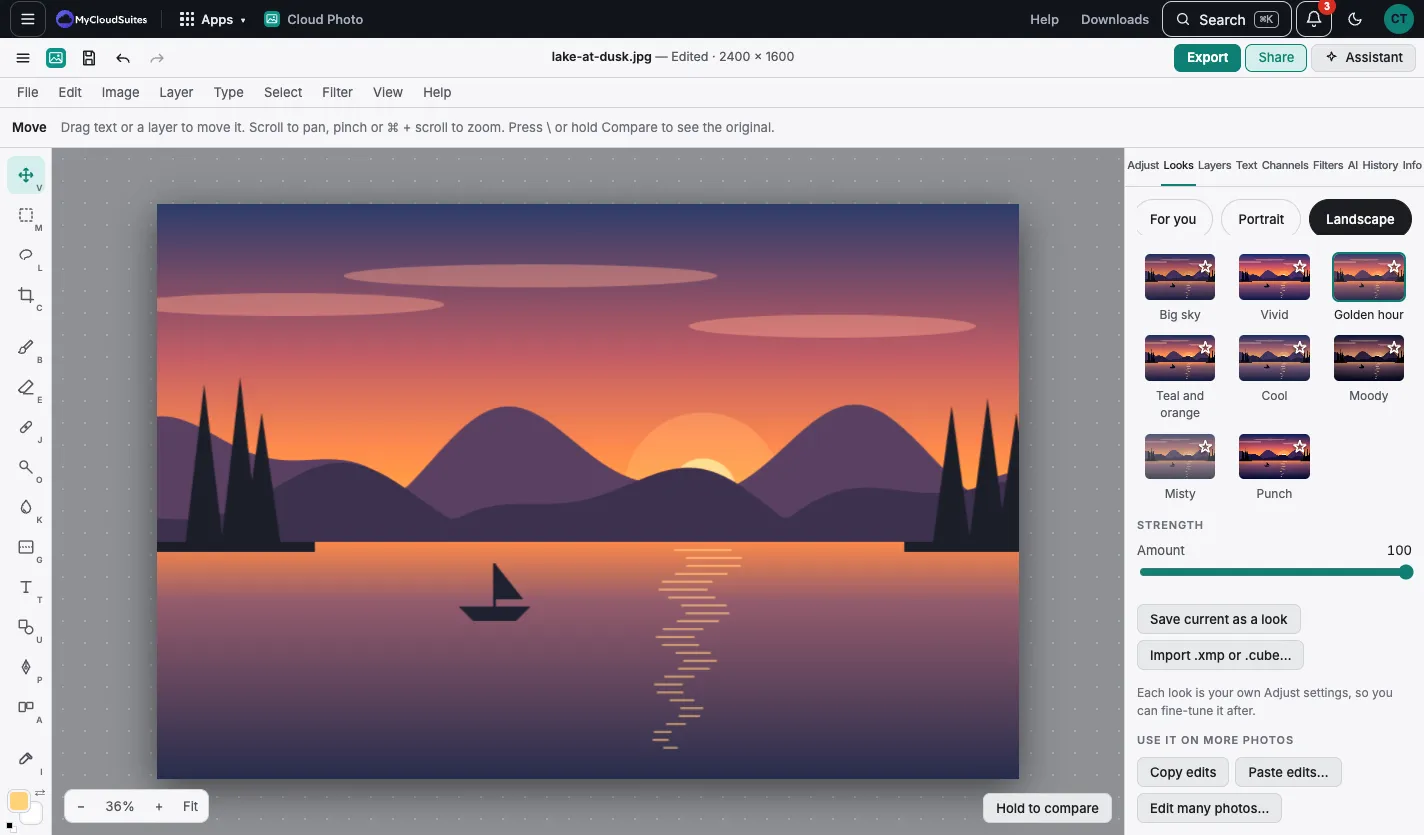
Use a look
- Choose the Looks tab.
- Pick a group: For you, Portrait, Landscape, Black and white or Food.
- Choose a look, such as Golden hour, Moody or Noir.
- Set how much of it with Strength.
None takes the look off. The look’s settings show in Adjust, where you can fine-tune them.
Favorites and your own looks
- Choose the star on a look to keep it in ★ Favorites.
- Save current as a look saves your Adjust settings as a look of your own. It’s in Mine.
- Import .xmp or .cube… brings in a Lightroom or Camera Raw preset (.xmp), which becomes a look in Mine, or a .cube color table, which goes into Color lookup.
Use it on more photos
- Copy edits and Paste edits… put this photo’s look and settings on another photo: see Copy and paste edits.
- Edit many photos… puts a look on many photos at once: see Edit many photos.