

Start from a template
Updated November 13, 2026
Each template is an ordinary workbook with its formulas, formatting and sample rows in place. Change anything you like.
Pick a template
- Choose File › New….
- Pick one, then choose Create.
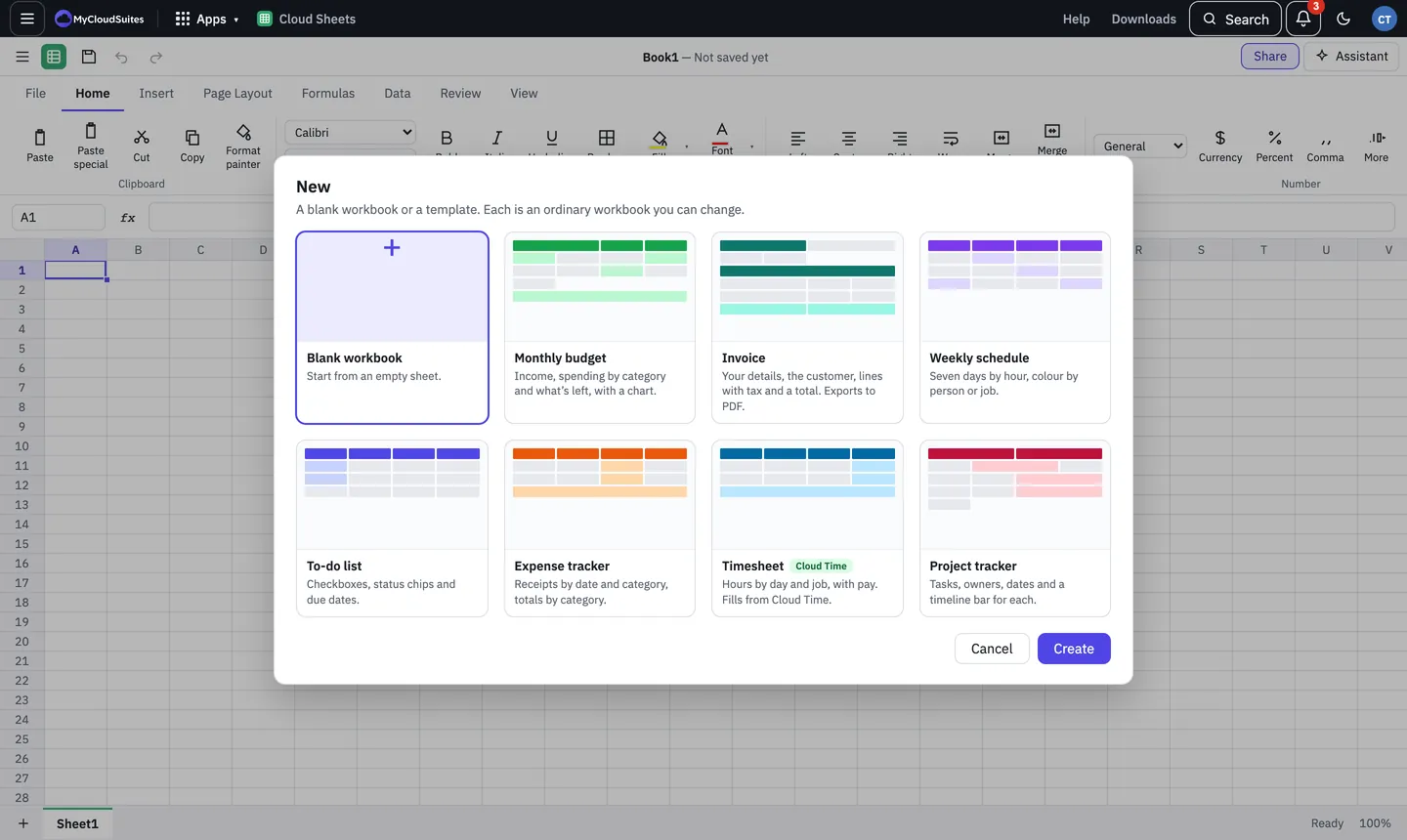
The templates
- Monthly budget: income, spending by category, what’s left, and a chart of planned against actual.
- Invoice: your details, the customer, lines with tax and a total. Export it with File › Export as PDF….
- Weekly schedule: seven days by hour, coloured by person or job.
- To-do list: checkboxes, status chips and due dates. See Checkboxes and status chips.
- Expense tracker: receipts by date and category, with totals by category.
- Timesheet: hours by day and job, with pay. It can fill from Cloud Time with Data › From Cloud Time.
- Project tracker: tasks, owners, dates and a timeline bar for each.
Tips
- A template opens unsaved, named after the template. Save it with File › Save to keep it.
- When the current window already has work in it, the template opens in a new window or tab, so nothing is replaced.