

Use Cloud Sheets on your phone
Updated November 13, 2026
Open mycloudsuites.com/apps/sheets on an iPhone or Android phone and sign in. Cloud Sheets switches to its touch layout.
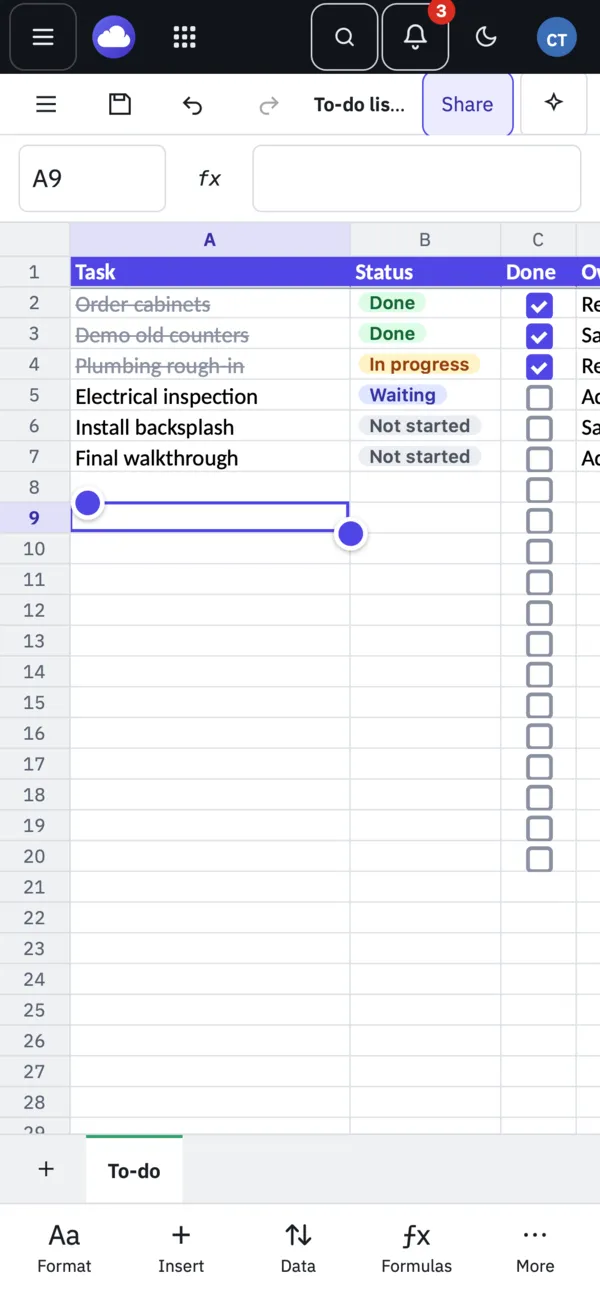
Find your way around
- Tap a cell to select it, tap again or type in the formula bar to edit.
- The bar at the bottom has Format, Insert, Data, Formulas and More.
- Tap a checkbox to tick it, or a chip to pick another choice.
- Take a photo of a table with Data from Picture. See Turn a photo of a table into cells.
Phone or computer?
| Phone browser | Computer | |
|---|---|---|
| Open, edit and save | Yes | Yes |
| Every ribbon command | Yes, through the bottom bar | Yes |
| Take a photo for Data from Picture | Yes | Choose or paste a picture |
| AI Apps (Claude Desktop, Claude Code) | No | Desktop app |
Tips
- On a computer with a touch screen, View › Touch layout turns on bigger buttons.
- Phone apps for iPhone and Android are coming soon.