

Your Home page
Updated November 13, 2026
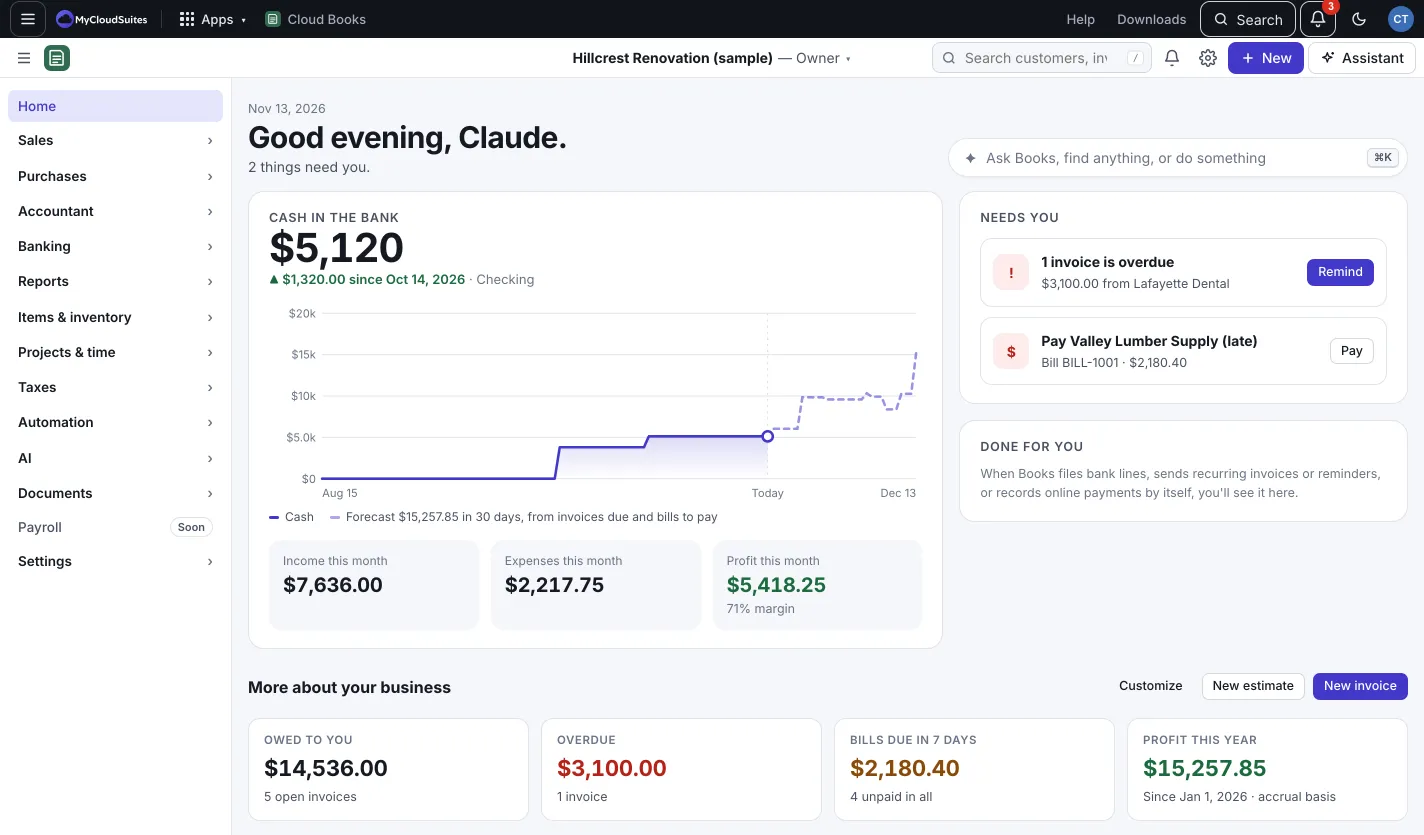
Home opens every time you open a company. The top part, Today, shows where your money stands and the few things that need you. Below it, More about your business has your key numbers and charts.
What you see
- Cash in the bank: today’s total, how much it changed, and a dotted line forecasting the next 30 days from invoices due and bills to pay.
- Income this month, Expenses this month and Profit this month. Click any of them to open the profit and loss report.
- Needs you: the few things waiting on you, such as bank lines to review, overdue invoices, bills due and approvals. Each has one button that takes you there.
- Done for you: what Books did by itself since yesterday, like filing bank lines, sending recurring invoices or reminders, or recording online payments.
- Books checkup: a nightly check of your books. It lists things to look at, like possible duplicates. If it isn’t a duplicate, press Not a duplicate.
Ask, find or do from Home
Click the bar that says Ask Books, find anything, or do something (or press ⌘K on a Mac, Ctrl+K on Windows). Type a few letters to jump to a page or record, start a new invoice, or ask a question. See Keyboard shortcuts.
Customize Home
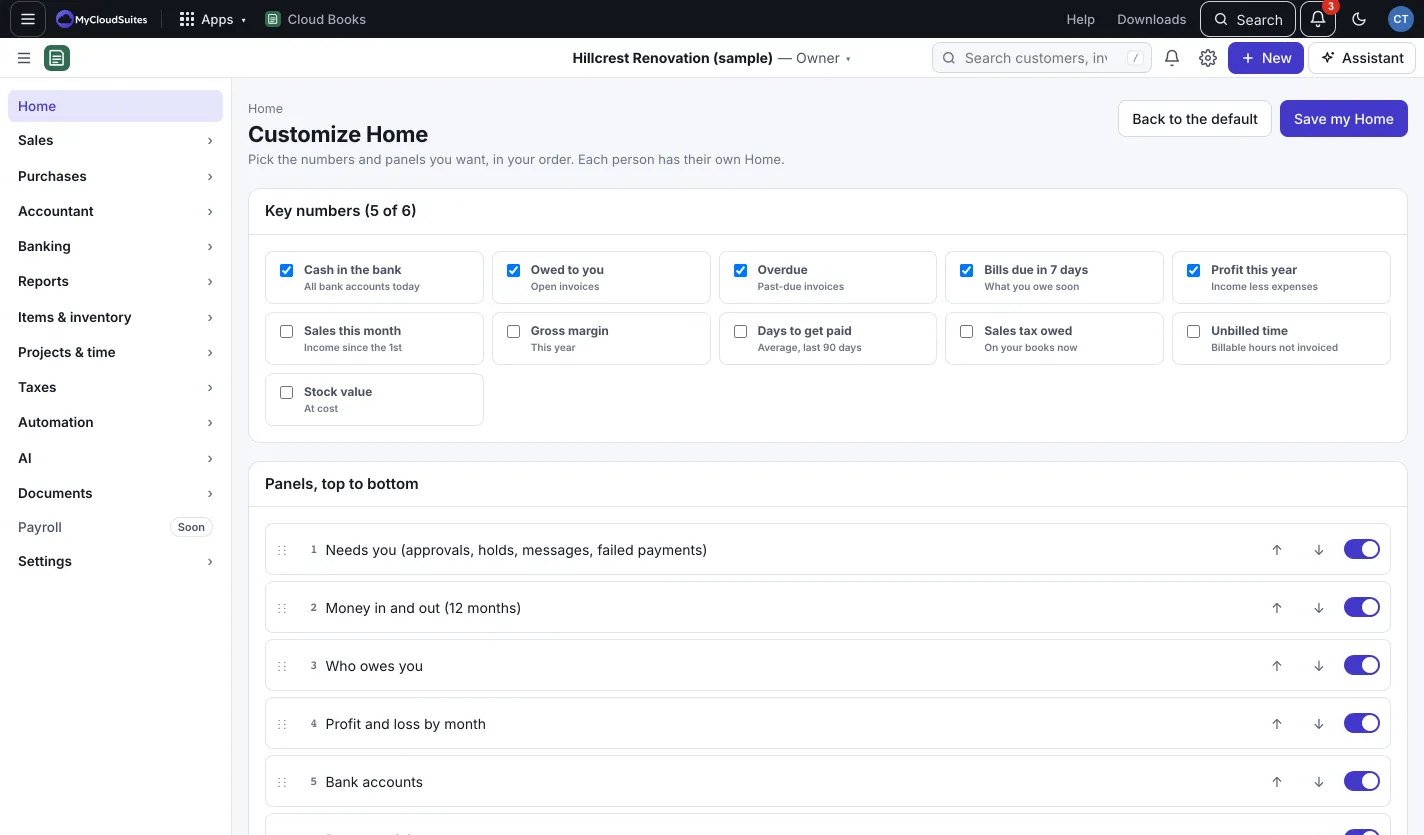
- On Home, press Customize (next to New estimate and New invoice).
- Under Key numbers, pick up to 6 numbers, such as Owed to you, Overdue, Bills due in 7 days, Profit this year, Sales this month or Stock value.
- Under Panels, top to bottom, turn panels on or off and move them up or down.
- Press Save my Home. To start over, press Back to the default.
Good to know
- Each person has their own Home. Your changes don’t change anyone else’s.
- The Menu button (three lines, top left) hides or shows the sidebar. On a wide screen Books remembers your choice.
- Dates follow your company’s time zone, set in Company settings.