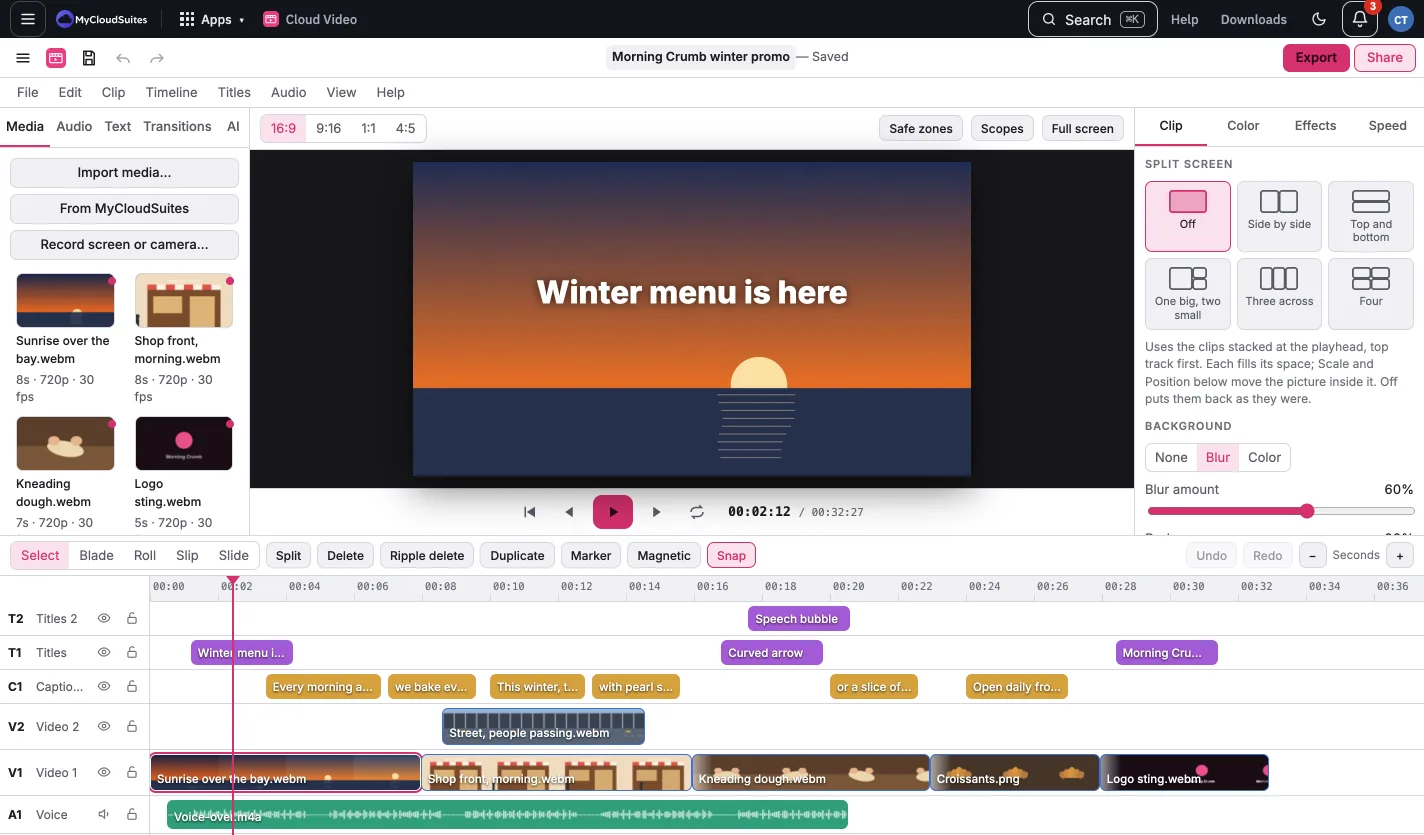
Get started with Cloud Video
Updated November 13, 2026
Cloud Video is a video editor that runs in your browser at mycloudsuites.com/apps/video/ and as a desktop app for Mac and Windows. Your clips stay on your computer while you edit and export: nothing is uploaded unless you choose to save to MyCloudSuites.
Make your first video
- Open Cloud Video and pick New project. Choose a blank project or a template.
- Click Import media… (or press ⌘I) and choose your videos, photos and sound.
- Click a clip in the media list to add it at the playhead, or drag it onto a track.
- Trim, split and arrange your clips on the timeline.
- Click Export (or press ⌘E) and pick a size.
[screenshot: the editor with a few clips on the timeline]
What’s free
All editing is free. AI tools, like auto captions, use MyCloudSuites AI credits. Saving projects to MyCloudSuites and Share links need Plus.