

Text styles: one-tap looks for text
Updated November 13, 2026
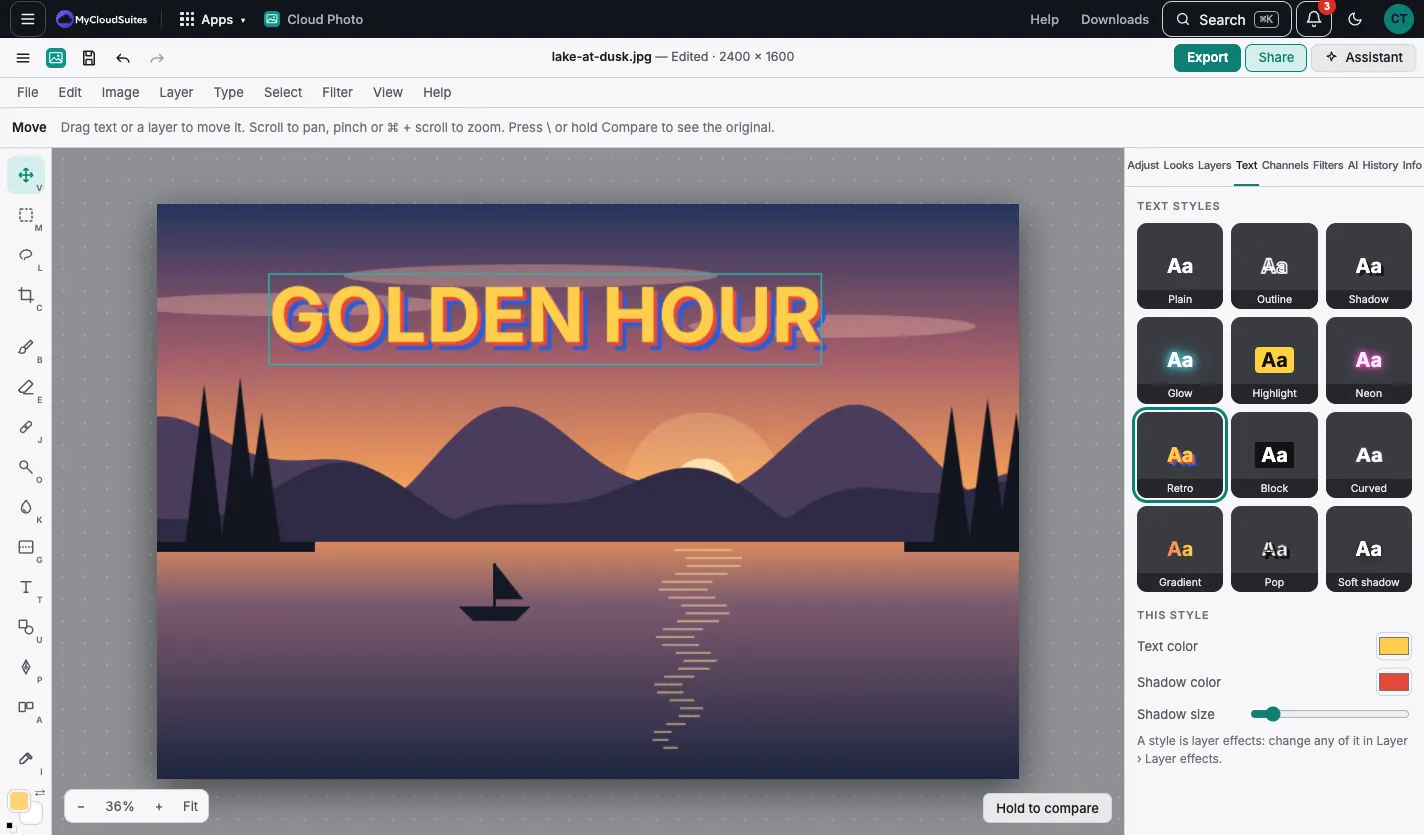
Use a style
- Pick a text layer, or add one with the Text tool.
- Choose the Text tab, or Styles ▾ in the text tool’s options.
- Choose a style: Plain, Outline, Shadow, Glow, Highlight, Neon, Retro, Block, Curved, Gradient, Pop or Soft shadow.
Change it
Under This style, change the Text color, the effect’s color and its size. A style is ordinary layer effects, so Layer › Layer effects… changes any part of it.
Good to know
- The style is sized to your text, so it looks right on a big title or small caption.
- Plain takes the style off. One Undo goes back.
- On a phone, the Text button in the bottom bar opens the styles.