

Run an automation again
Updated November 13, 2026
When an automation fails, fix the cause and run it again on that deal.
Steps
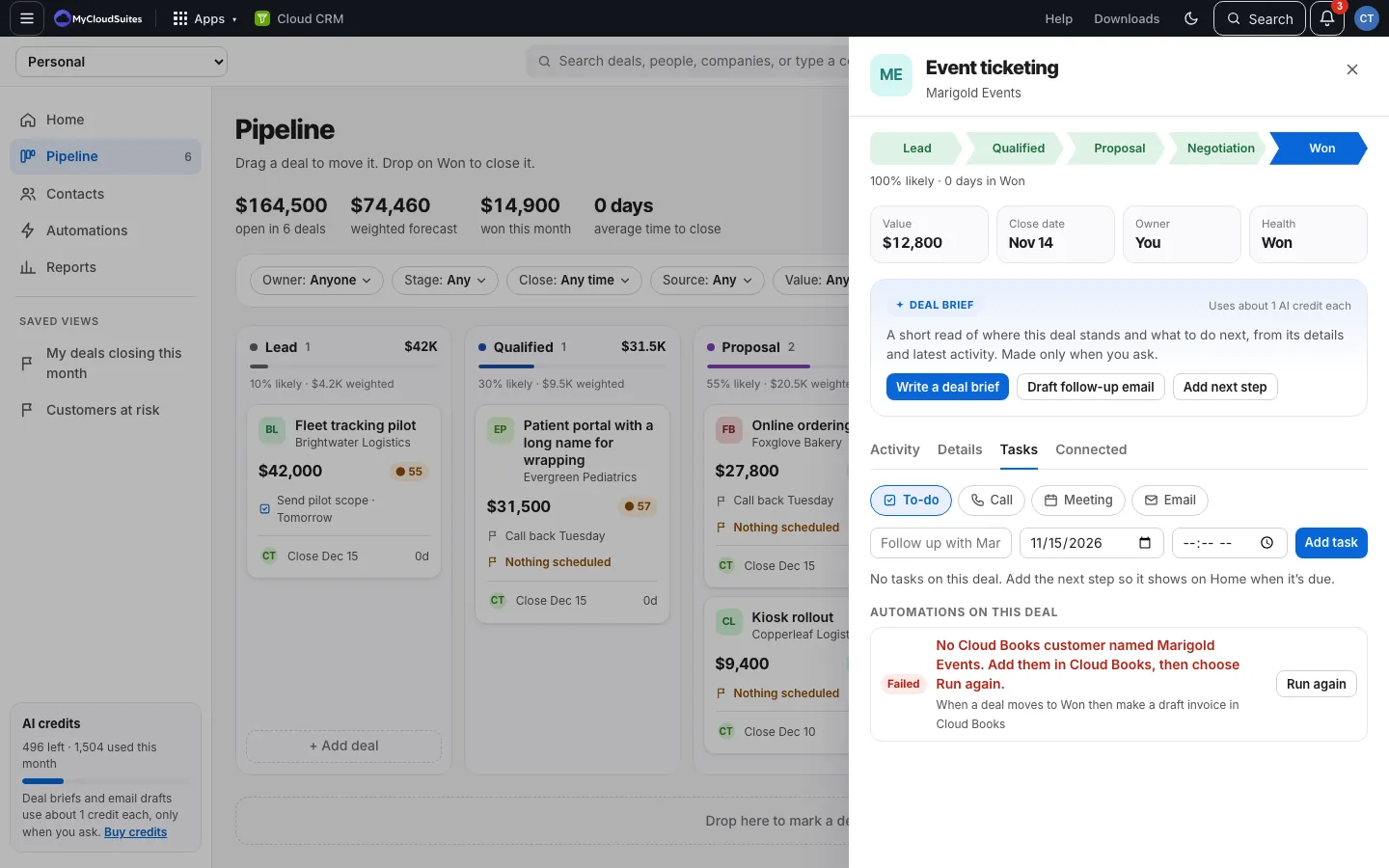
- Open the deal and choose the Tasks tab.
- Under Automations on this deal, a failed run shows Failed in red with what went wrong, like “No Cloud Books customer named Acme. Add them in Cloud Books, then choose Run again.”
- Fix the cause.
- Choose Run again.
Good to know
- Only the latest failed run of a rule can run again.
- If it fails again, it says so and you can try again.
- Skipped runs (amber) aren’t errors, so they don’t need running again.