

Companies
Updated November 13, 2026
The businesses you sell to, with their people and deals.
Add a company
- Open Contacts and choose Companies.
- Choose New company, fill in the Name (and Website, Phone, Owner if you like), and add it.
How it works
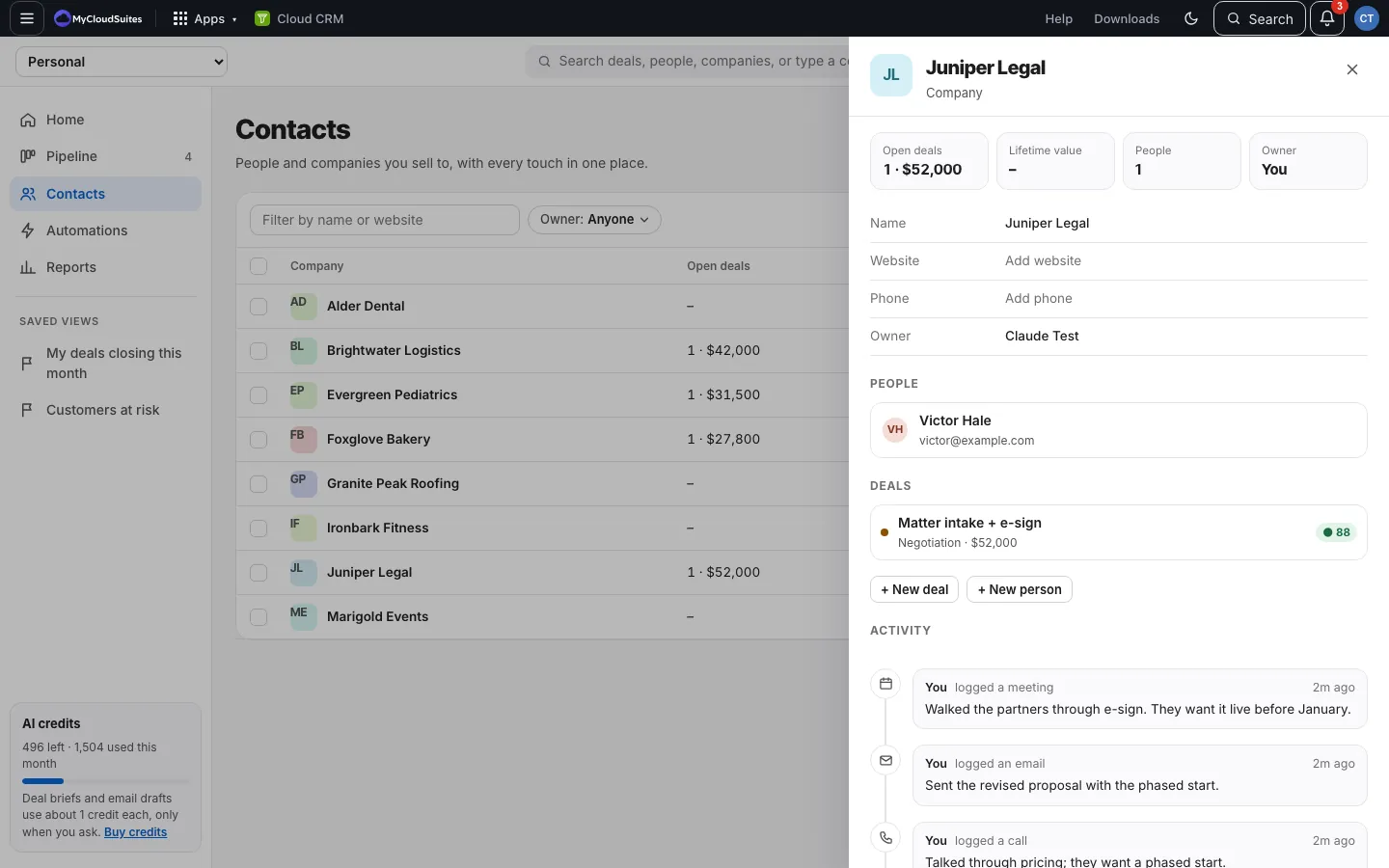
- The list shows each company’s Open deals, Lifetime value (won), People and Owner.
- A company’s page shows the same, plus its people, deals and activity. Every field edits in place.
- Adding a deal or a person with a new company name adds the company too.
Delete a company
Choose Delete company and confirm. Its people and deals stay, with no company. This can’t be undone. In a team CRM you can delete companies you own; owners and admins can delete any.
Good to know
- A company’s totals use the currency most of its deals use.