

Keyboard shortcuts
Updated November 13, 2026
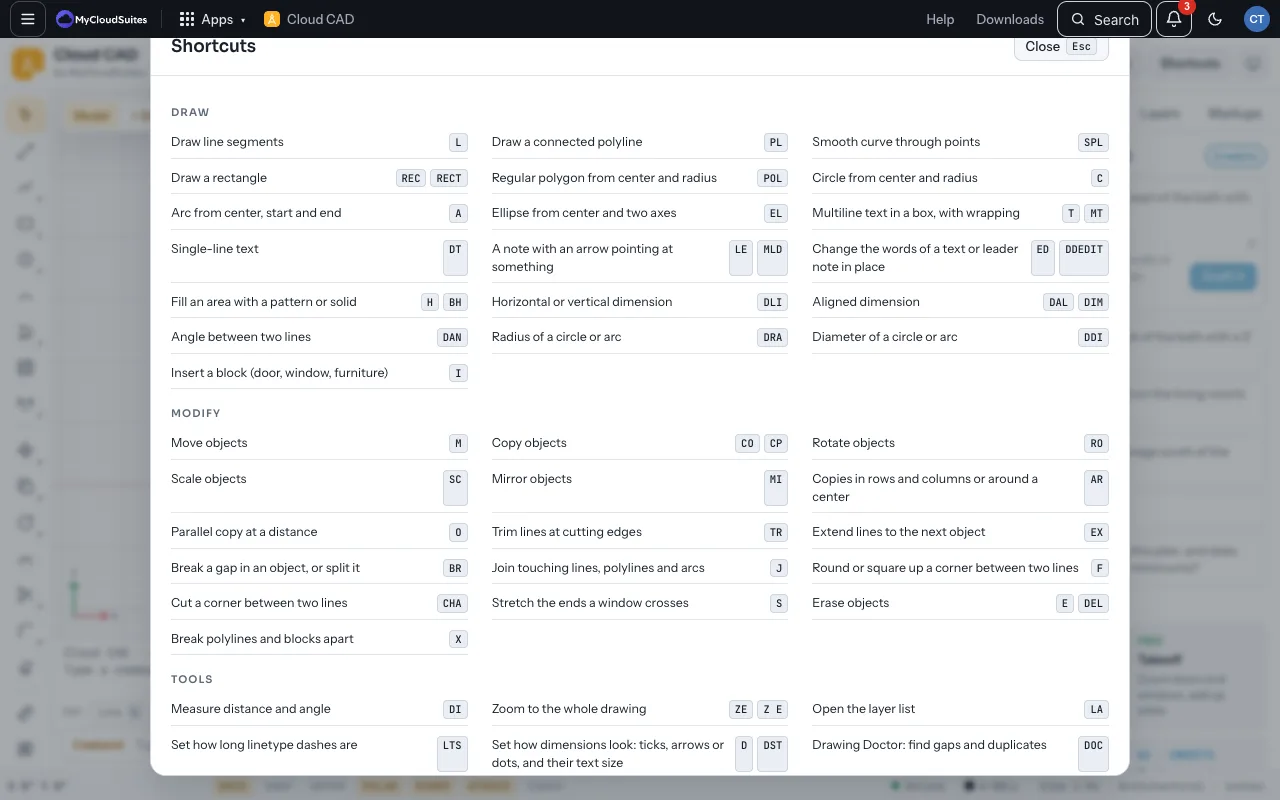
Press F1 (or choose Shortcuts) to see these in the app.
Keys
| Keys | What they do |
|---|---|
| Ctrl K | Ask AI or search commands |
| Enter or Space | Finish, or repeat the last command |
| Right-click | Acts as Enter |
| Esc | Cancel, or clear the selection |
| Ctrl Z / Ctrl Y | Undo / redo |
| Ctrl A | Select all |
| Ctrl C, Ctrl X, Ctrl V | Copy, cut, paste (Ctrl Shift V pastes in place) |
| Ctrl S | Save |
| Ctrl O | Open |
| Ctrl P | Print to PDF |
| Del | Erase the selection |
| F1 | Shortcuts |
| F3 / F7 / F8 / F9 / F10 / F11 | Object snap / grid / ortho / snap / polar / snap tracking |
On a Mac, use Cmd for Ctrl.
Mouse
- Scroll to zoom at the cursor. Double-click the middle button to zoom to everything.
- Drag with the middle button, or hold Space and drag, to pan.
Typing points
- 12’ then Enter: an exact length the way the cursor points.
- @12’,6’: across and up from the last point. @10’<45: a distance at an angle.
- C: close a line or polyline.
Need more? Every command, or contact us.