Voice effects
Updated November 13, 2026
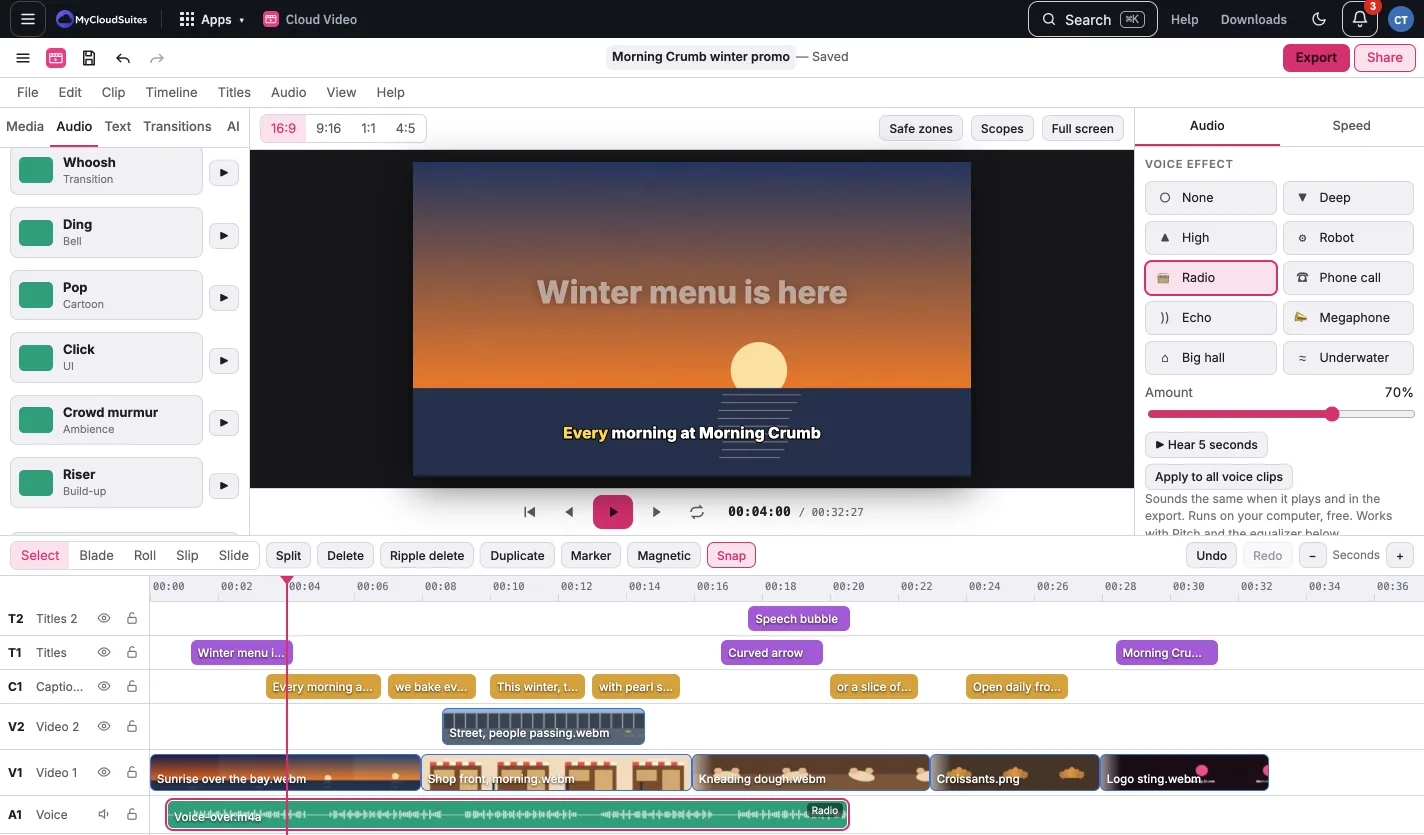
Select a clip with sound and open the Audio tab, Voice effect. Pick Deep, High, Robot, Radio, Phone call, Echo, Megaphone, Big hall or Underwater, and set the Amount.
- Hear 5 seconds plays the clip from the playhead with the effect.
- Apply to all voice clips gives every clip with sound the same effect, except the Music track.
- The clip shows its effect’s name on the timeline.
Voice effects work with Pitch and the equalizer, sound the same in the export, and are free.