Stickers, emoji, shapes and arrows
Updated November 13, 2026
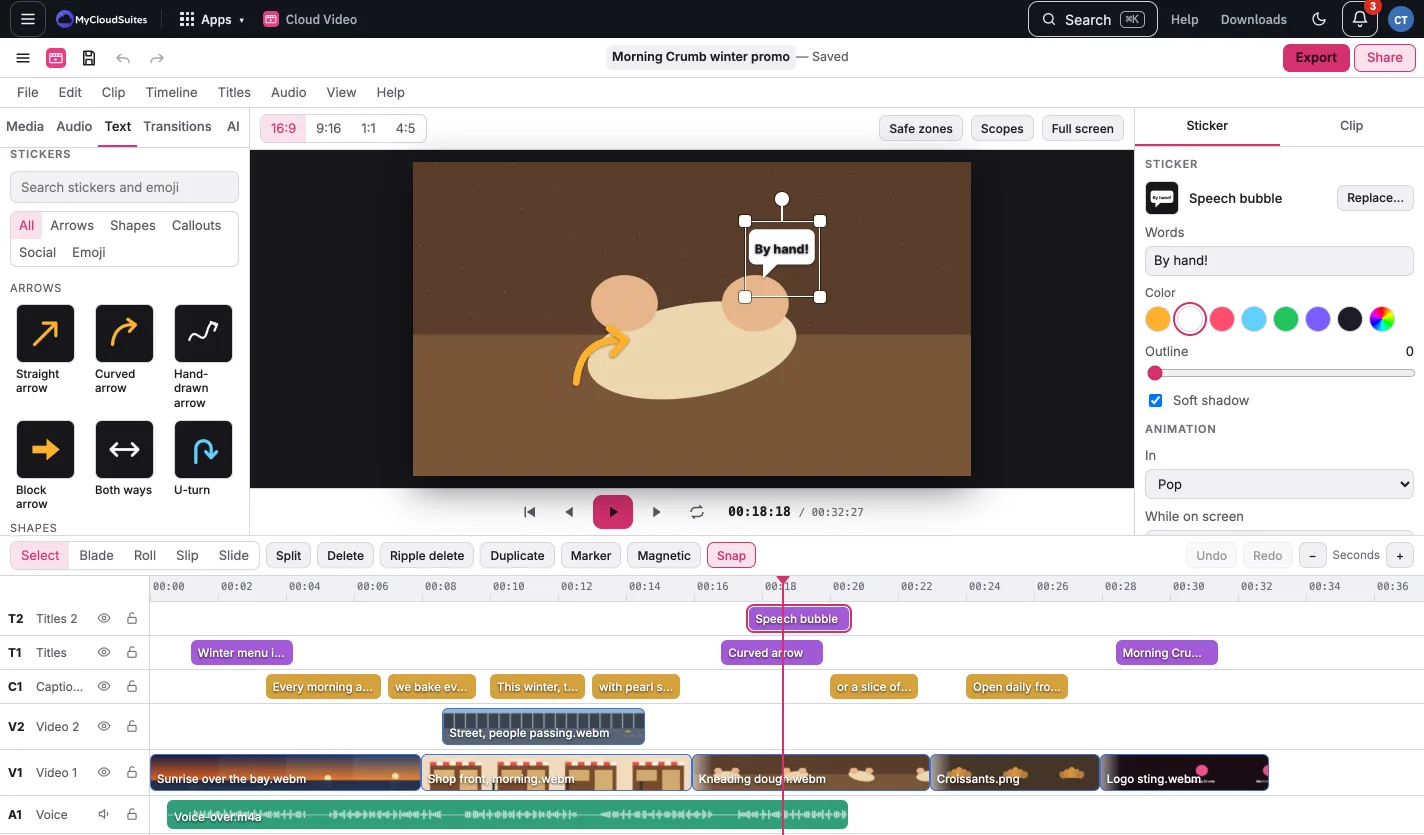
Open the Text tab in the media list and scroll to Stickers. Search, or pick a group: Arrows, Shapes, Callouts, Social or Emoji. Click one to add it at the playhead. Stickers go on a free Titles track, so they never cover a title.
In the viewer, drag the sticker to move it, drag a corner to size it, and drag the round handle at the top to turn it.
In the Sticker tab:
- Words for bubbles, tags and buttons.
- Color, Line weight, Outline and Soft shadow.
- Animation: In (Draw on traces arrows and shapes from their tail, Pop, Fade, Slide in, Spin in), While on screen (Pulse, Gentle bounce, Wiggle) and Out.
- Replace… swaps in another sticker, keeping its place and timing.
The progress bar fills, and the countdown counts down, over the sticker’s length. Drag its ends on the timeline to change how long it shows. Stickers are our own drawings, and free.