

Use Cloud Slides on your phone
Updated November 13, 2026
Cloud Slides works in the browser on your phone, on iPhone and Android. Go to mycloudsuites.com/apps/slides and sign in.
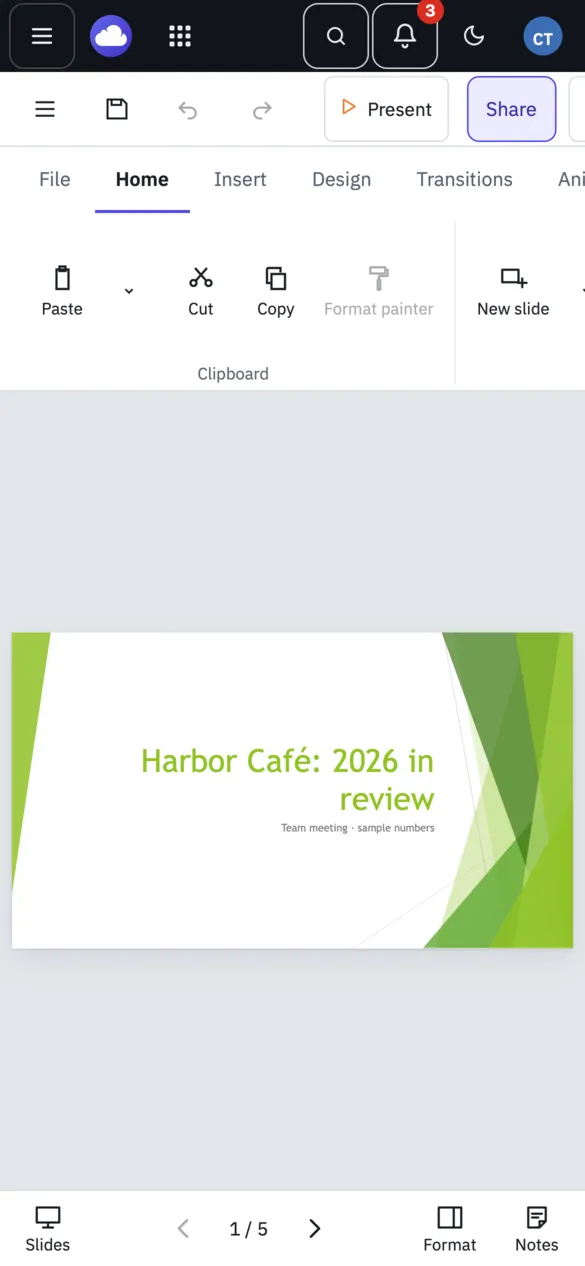
How it’s laid out
On a phone, the slide takes the whole width. The bar at the bottom has:
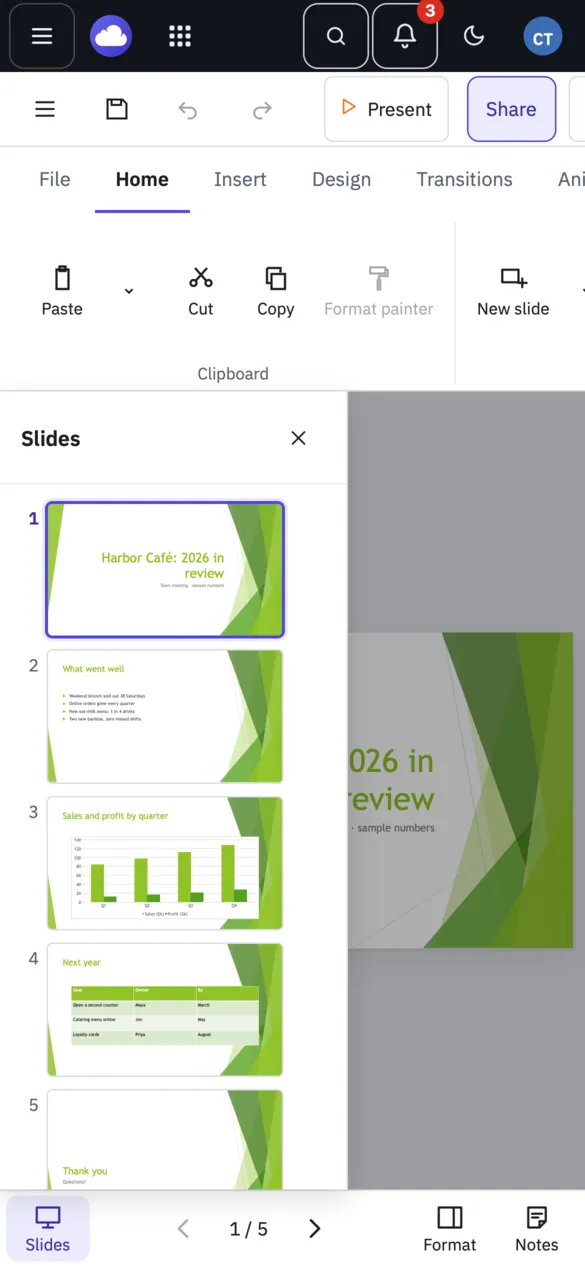
- Slides, to open the slide list over the slide. Tap a slide to go to it.
- The arrows and the slide number, to go back and forward.
- Format, for the Format pane.
- Notes, for your speaker notes.
Tap a ribbon tab to open its buttons, and tap it again to close them and give the slide more room.
Edit
Double-tap a box to type in it. The slide moves up so the keyboard doesn’t cover what you’re typing. Drag shapes with your finger to move them.
Present
Tap Present. Tap the slide to bring back the show’s buttons.
Good to know
- Turn your phone on its side for a bigger slide. The ribbon starts closed.
- There’s no swiping between slides yet: use the arrows.
- iPhone and Android apps aren’t out yet. See Cloud Slides phone apps.
Need more? Online and desktop: what’s different, or contact us.