

QUERY, ARRAYFORMULA, SPARKLINE and other Google Sheets functions
Updated November 13, 2026
If you’ve used Google Sheets, its functions work here too, beside Excel’s, and the workbook still saves as .xlsx.
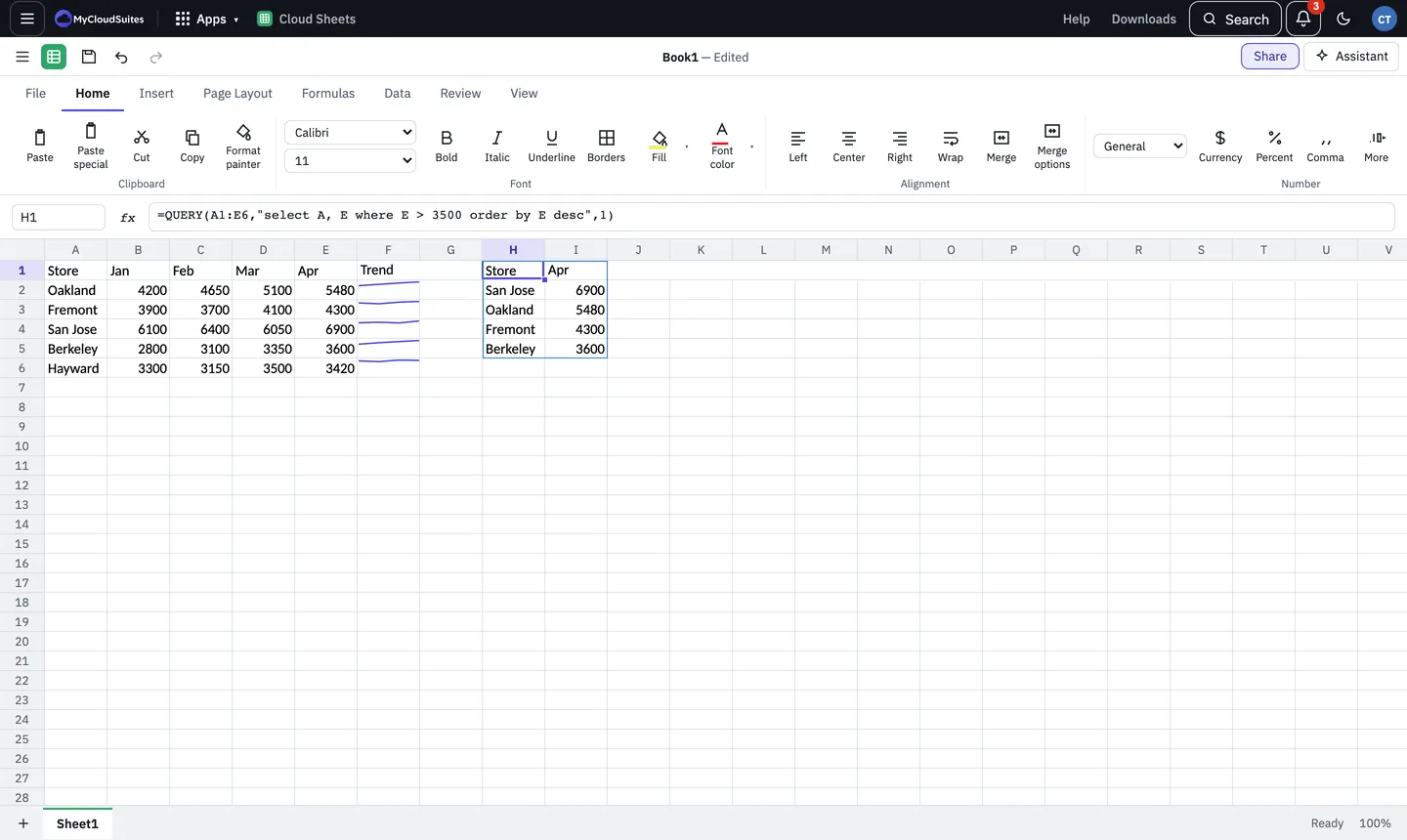
Some favourites
- QUERY: sort, filter and summarise a range with one formula, such as
=QUERY(A1:E6,"select A, E where E > 3500 order by E desc",1). - ARRAYFORMULA: work a formula over a whole range at once.
- SPARKLINE: a small line or bar chart inside a cell, such as
=SPARKLINE(B2:E2). - SPLIT and JOIN: break text apart or put it together.
- REGEXMATCH, REGEXEXTRACT and REGEXREPLACE: match and change text with patterns.
- COUNTUNIQUE, SORTN, FLATTEN and ARRAY_CONSTRAIN: count, sort and shape ranges.
- IMPORTRANGE, IMPORTHTML, IMPORTXML and IMPORTDATA: bring in data. See Import data from the web and other workbooks.
- GOOGLETRANSLATE and DETECTLANGUAGE: see Translate text in cells.
Good to know
- Excel doesn’t have these functions. If someone opens the workbook in Excel, these cells show an error there. They work again when the file is opened in Cloud Sheets.
- SPLIT splits on each character you give it by default, as Google Sheets does:
=SPLIT("a, b",", ")splits on the comma and on the space. AddFALSEas the third argument to split on the whole text. - GOOGLEFINANCE isn’t available.