

Ask the assistant about your workbook
Updated November 17, 2026
The assistant reads your workbook and answers questions, writes formulas, builds tables and fixes errors. Every change it makes is shown to you first and can be undone.
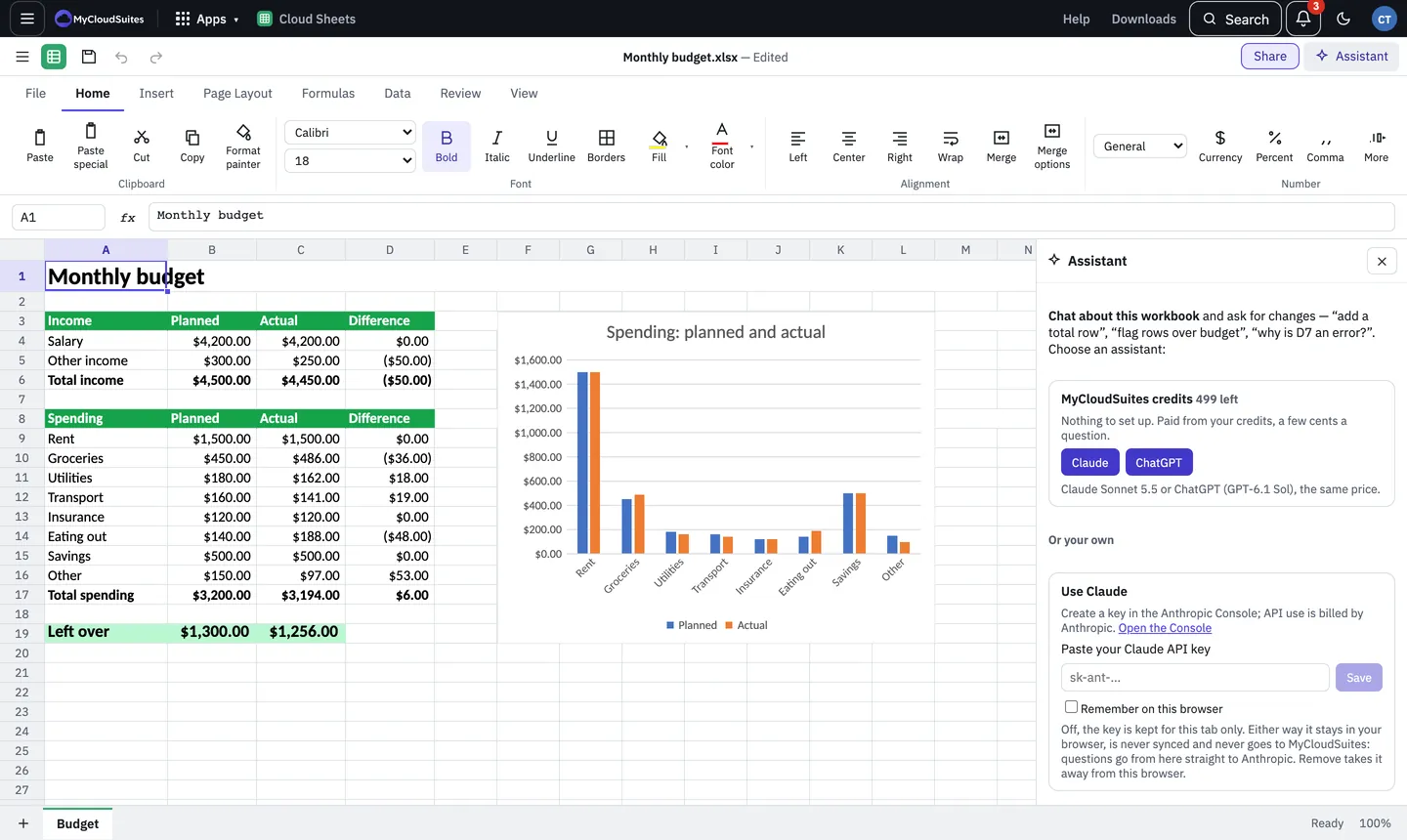
Set it up
- Choose Assistant at the top right, or View › Assistant (Ctrl+Shift+A).
- Pick how to pay:
- MyCloudSuites credits: choose Claude or ChatGPT. Both cost the same, paid from your AI credits.
- Your own key: under Use Claude, paste a Claude API key from the Anthropic Console. Anthropic bills you directly and no credits are used. See Bring your own AI key.
- Your ChatGPT plan (desktop app): choose Continue with ChatGPT to use your own ChatGPT plan.
Ask
- Type what you want, such as “add a total row”, “flag rows over budget” or “why is D7 an error?”.
- When it wants to change cells, it shows what will change. Approve it, or say what to do instead.
- Undo (Ctrl+Z) takes back anything it did.
Good to know
- What’s sent: your question and the parts of the workbook it needs, only when you ask.
- What it costs: each question uses credits according to how much it reads and writes. Your balance shows in the panel.
Company workbooks
A workbook in your company’s drive is company work, so your company’s credits pay for it, never your own. See Company AI credits.
- The bar in the panel says “Paid by your company’s company credits”, with how many you have left this month when your company gives you an allowance.
- When the company can’t pay (it has no company credits yet, it’s run out, or your allowance for the month is used up), the panel says why instead. Choose Ask for more and your owners see it in Needs you.
- If you’re an owner, or an admin with billing, the message says to buy company credits. Choose Buy company credits on your company’s Plan and storage page.
- Your own credits are only for your personal files. Your own Claude key works on company workbooks too, and Anthropic bills you for it.