

AI follow-up email
Updated November 13, 2026
Get a ready-to-edit follow-up email for a deal.
Steps
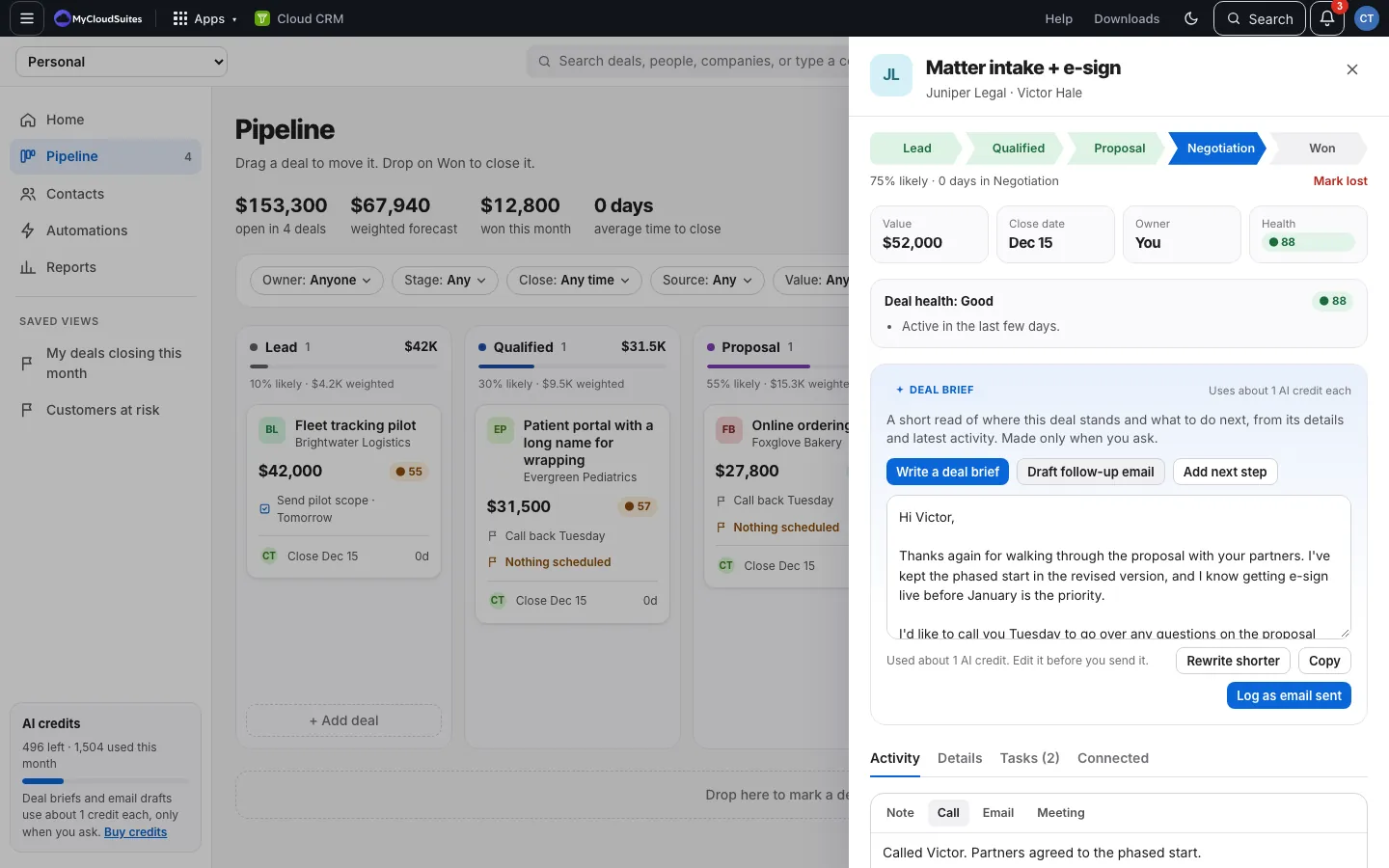
- Open a deal and choose Draft follow-up email on the Deal brief card.
- Edit the draft in the box.
- Choose Rewrite shorter if it’s too long, or Copy to paste it into your email.
- Sent it? Choose Log as email sent to put it on the deal’s timeline.
Good to know
- Each draft, and each Rewrite shorter, uses about 1 AI credit.
- Cloud CRM doesn’t send the email. You send it from your own email.
- Always read it before sending.