

Job channels and the job bar
Updated November 13, 2026
A job channel keeps the crew’s and the office’s talk about one job in one place. With Cloud Books, it shows the job’s details above the messages.
How a job gets its channel
- On its own: the first time a job’s status is set in Cloud Books, Cloud Chat makes its channel. Cloud Books posts there when the job’s status changes.
- Yourself: choose + beside Jobs (Start a job channel), find the job, and choose Start a channel.
Job channels are public in the company, like other channels: anyone in the company can read and join them.
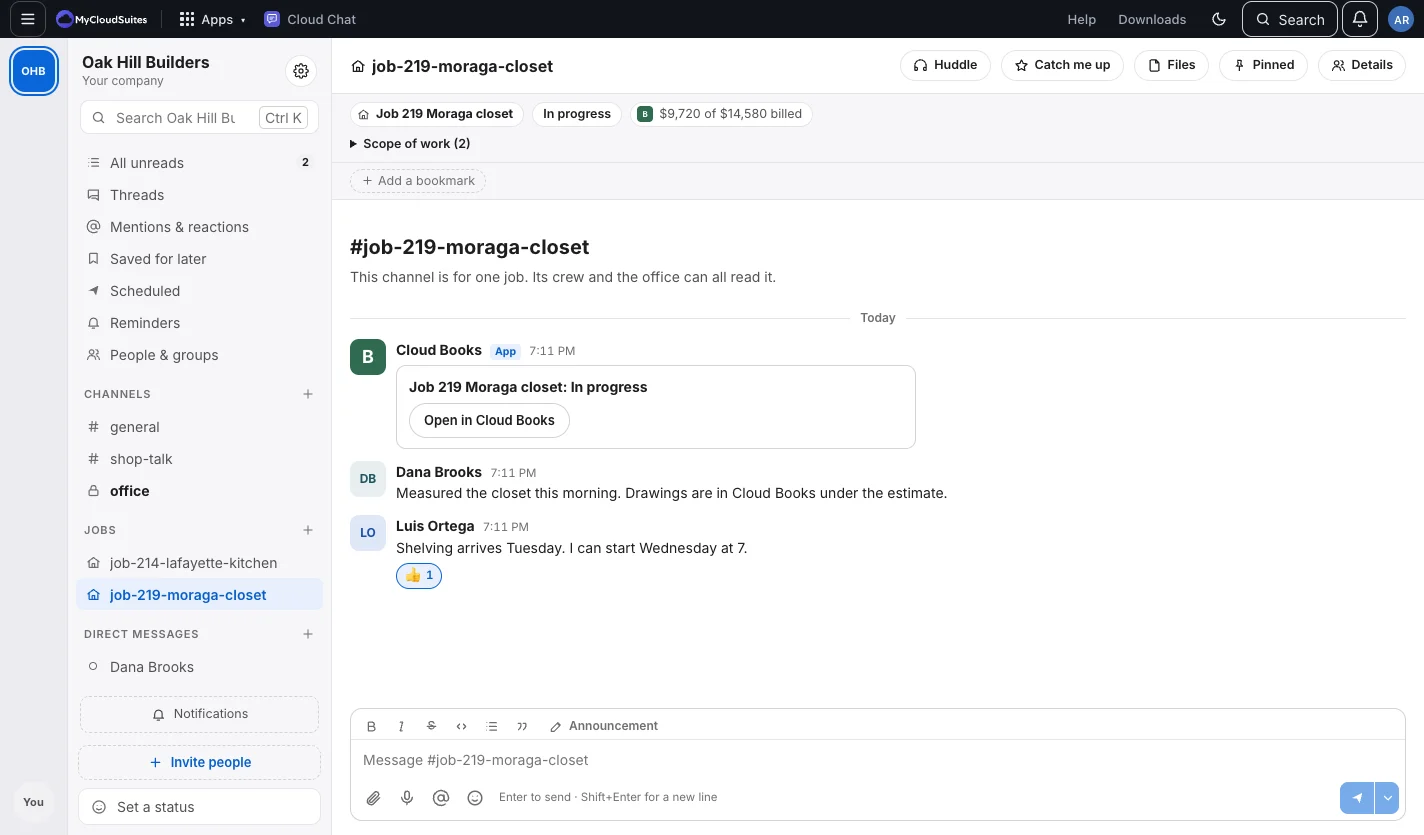
The job bar
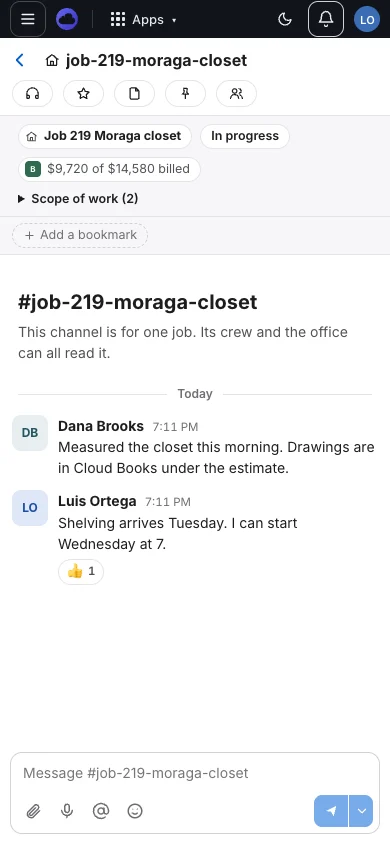
Above the messages: the job’s name, its status from Cloud Books, the address, the scope of work, hours from Cloud Time, and what’s billed from Cloud Books. Each person sees only what those apps let them see. The crew sees the scope of work without prices unless Cloud Books says they may.
When the job is done
A week after a job is completed and paid, or cancelled, its channel is archived with a note. Its history stays, and you can still read and search it.
Tips
- On a phone, the job bar is right there on site.
- Type /clock in in a job’s channel to clock in on that job. See Clock in from a job’s channel.
Need more? Clock in from a job’s channel, or contact us.