Write and edit Word documents
Open, write and save .docx files with styles, tables, pictures, track changes, comments and spelling, laid out page by page the way Word lays them out.
Comes with PDF Studio for Windows, in the same window. Coming soon to your browser.
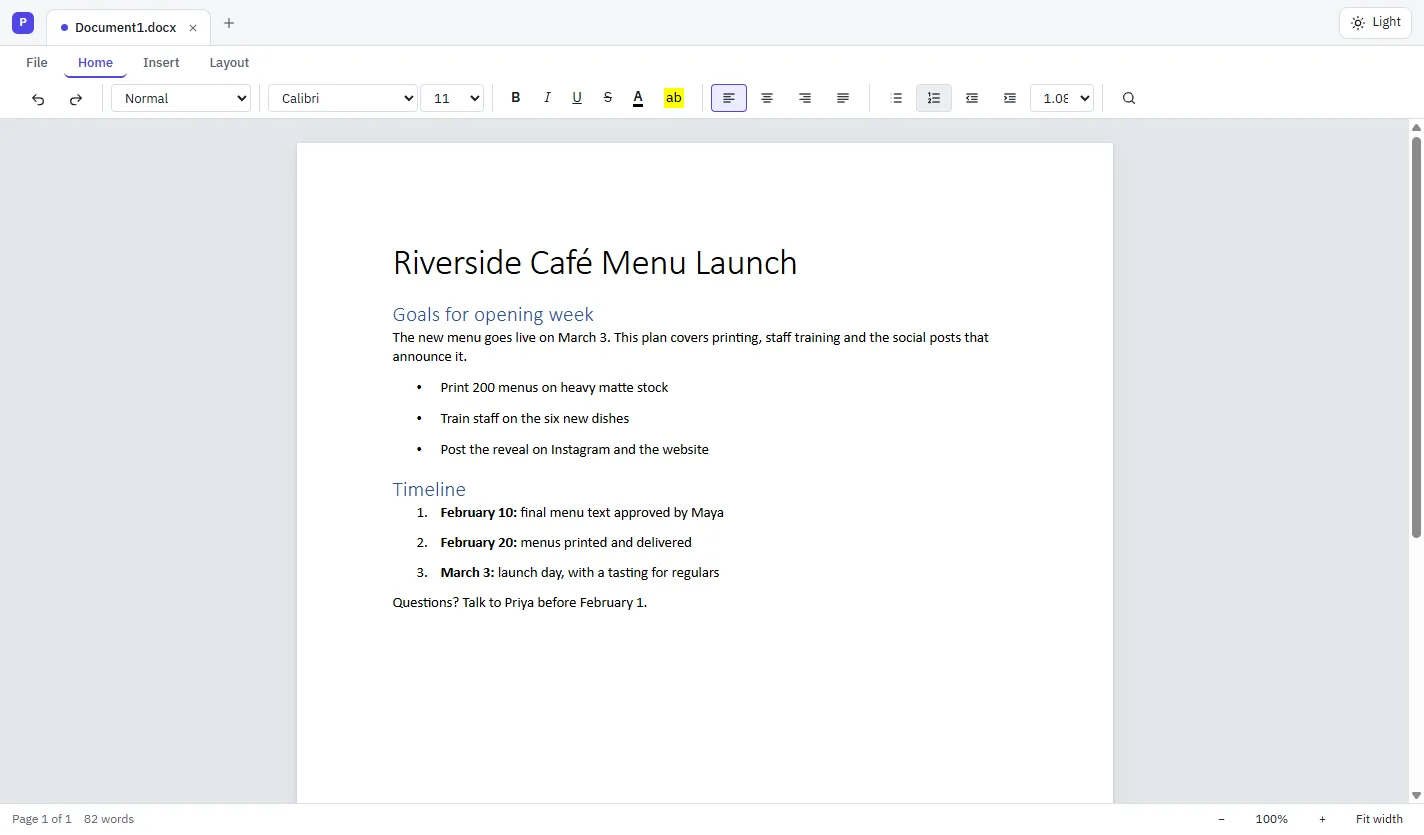
- Word opens what you save
- Opens .docx and older .doc files
- Your files stay on your computer
- Free, with no paid tier
Everything a document needs.
From a one-page letter to a long report with footnotes and a bibliography.
Open and save Word files.
Open .docx files, and older .doc files from Word 97–2003, then save as .docx. Anything Documents doesn't edit yet is kept as it was when you save.
Styles and formatting.
Fonts, sizes, colors, highlight, alignment, indents and line spacing, styles, and bullets and numbering with levels.
Tables, pictures and pages.
Tables: add and delete rows and columns, and merge cells. Pictures in the text or floating with text wrapped around them. Margins, orientation, page size, columns, headers and footers.
Track changes and comments.
Turn on Track Changes (Ctrl+Shift+E), then accept or reject each change or all of them. Add comments, reply to them and mark them resolved.
Compare two versions.
Review › Compare puts the differences between two versions in a new tab as tracked changes, ready to accept or reject.
Spelling and grammar.
Unknown words and common grammar slips are underlined as you type. Press F7 to go through them one by one in the Spelling and Grammar pane.
Citations and references.
Citations and a bibliography in APA, MLA or Chicago style, footnotes and endnotes, a table of contents, captions and cross-references.
Laid out like Word.
Pages are laid out with your real fonts, line by line, the way Word lays them out, so what you see is what prints.
Save as PDF and print.
Turn a document into a PDF in one step, or print it, with the same pages you see on screen.
Works with the files you have.
Word documents first, and the other common formats too.
Word
- Word documents (.docx): open and save
- Word 97–2003 documents (.doc): open, then save as .docx
Other formats
- Rich Text Format (.rtf)
- OpenDocument Text (.odt)
- Web pages (.html)
- Plain text (.txt) and Markdown (.md)
- Save as PDF
- Edit the PDF further in PDF Studio, in the same window
Questions
What is Documents?
Documents is an editor for Word files from MyCloudSuites. It comes with PDF Studio and opens Word documents in their own tabs in the same window as your PDFs.
Will Word open the documents I save?
Yes. Documents saves standard .docx files, and Word opens them with their styles, lists, tables, tracked changes and comments.
Can I open old .doc files?
Yes. Documents opens Word 97–2003 .doc files and saves them as .docx, as Word suggests.
Do I need Microsoft Office installed?
No. Documents opens, lays out and saves Word files itself. It's built from the published specifications of the Word file formats.
Are my documents uploaded anywhere?
No. The desktop app opens and saves files on your own computer.
Which computers does it run on?
Documents comes with PDF Studio, a desktop app for Windows today. A version that runs in your browser is coming to mycloudsuites.com.
Your Word documents, free.
Documents comes with PDF Studio in one free download for Windows.