MMyCloudSuites See the features
Home › PDF Studio › PDF editor
PDF Studio by MyCloudSuites

The complete PDF editor

Edit text and images, fill and sign, comment, organize pages, redact, recognize scanned text, compare versions and convert to Office files. Every PDF tool you need, in one app.

A desktop app for Windows today. Coming soon to your browser at mycloudsuites.com.

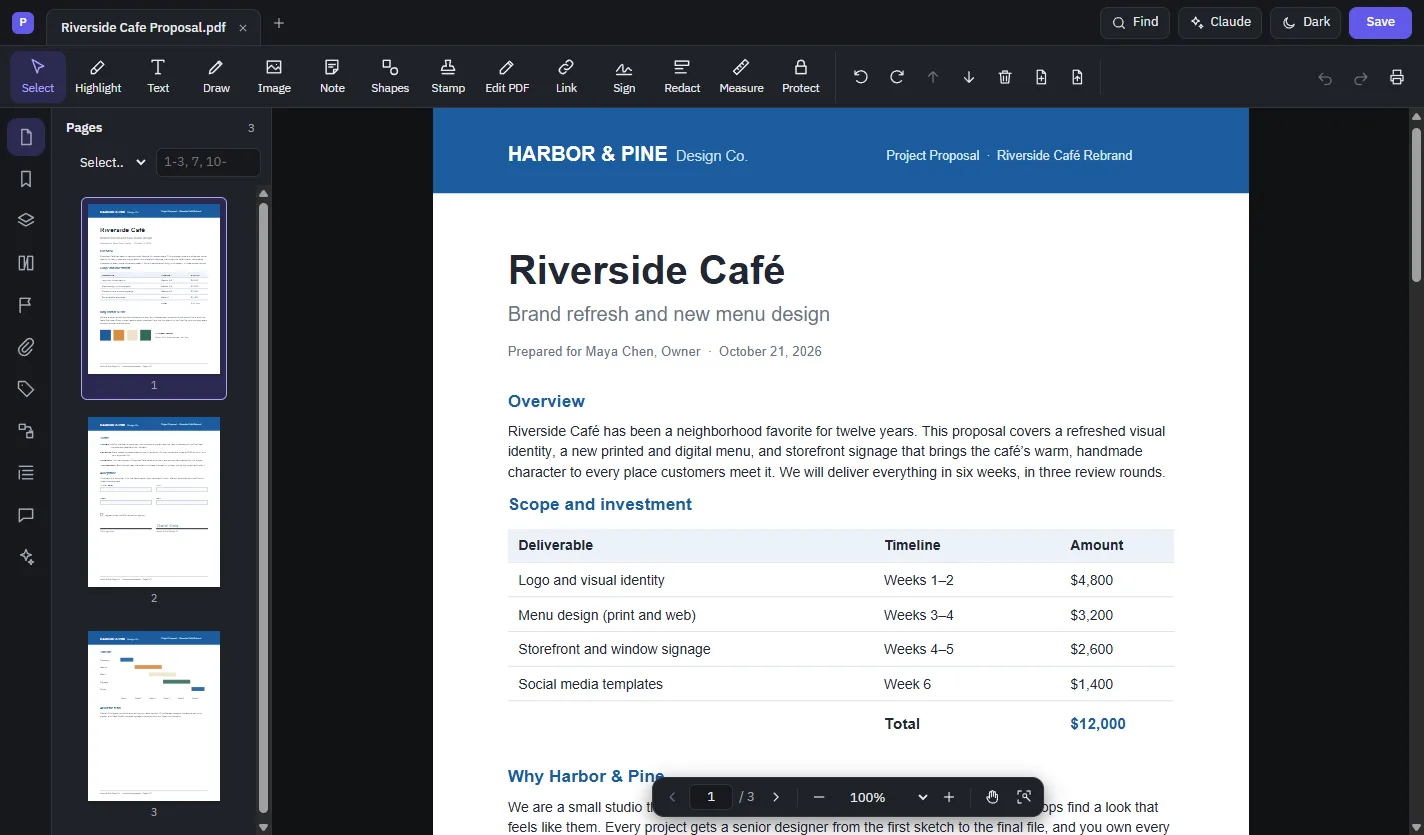
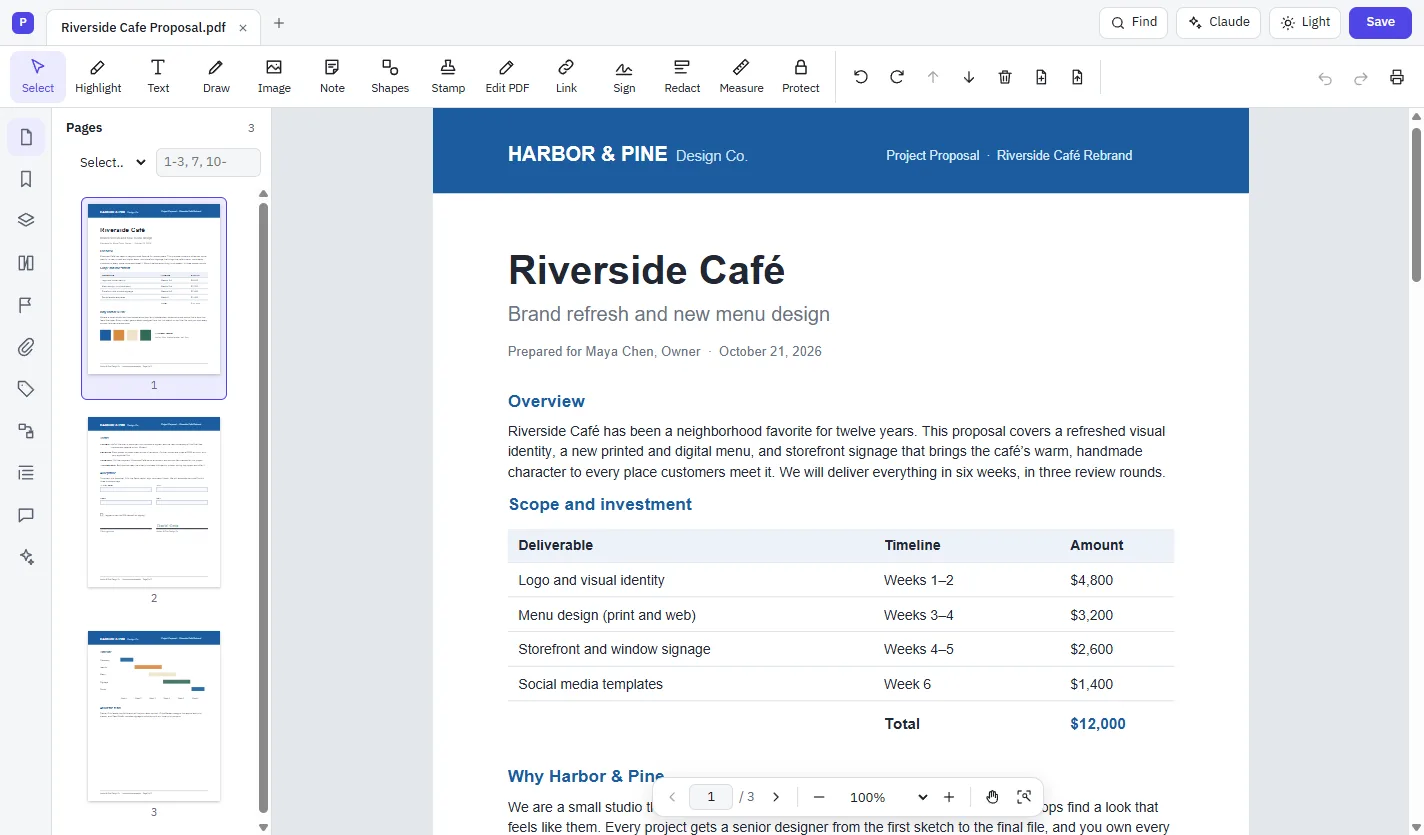
PDF Studio's main window with a three-page proposal open, page thumbnails on the left and the toolbar across the top
  • Your files stay on your computer
  • Built on the PDF standard, ISO 32000-2
  • Files open in Acrobat, Preview, Chrome and Firefox
  • Opens and saves Word documents too

Do everything with your PDFs.

From a quick signature to a full edit, the tools you reach for every day are one click away.

Edit text and images.

Change words in the document's own font, reformat paragraphs, and move, crop or replace pictures.

Edit a PDF →

Fill and sign.

Fill in forms, add a typed or drawn signature, or sign with a certificate-based digital ID.

Fill and sign →

Comment and review.

Highlight, add notes, shapes and stamps, then reply, filter and track each comment's status.

Review a PDF →

Organize pages.

Reorder, rotate, delete, insert, extract, split and merge, all in one page grid.

Organize pages →

Redact and protect.

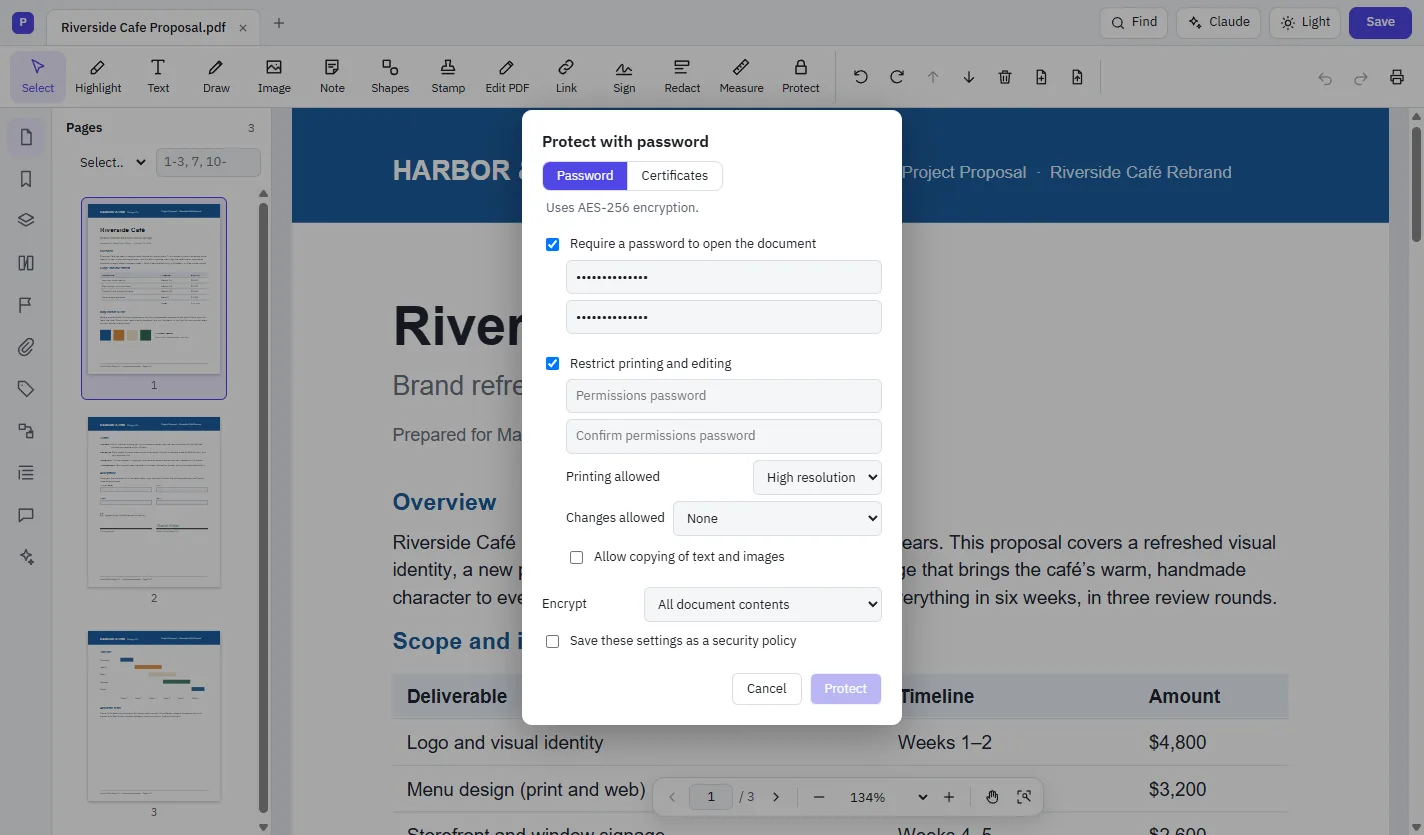
Remove sensitive content for good, and lock files with a password or certificates.

Redact a PDF →

Ask AI to do it.

Ask Claude or ChatGPT to summarize, translate or change a document. You approve every change.

Meet the assistant →

See it in action.

These are real screenshots of PDF Studio. Click any picture to see it full size.

Edit PDF

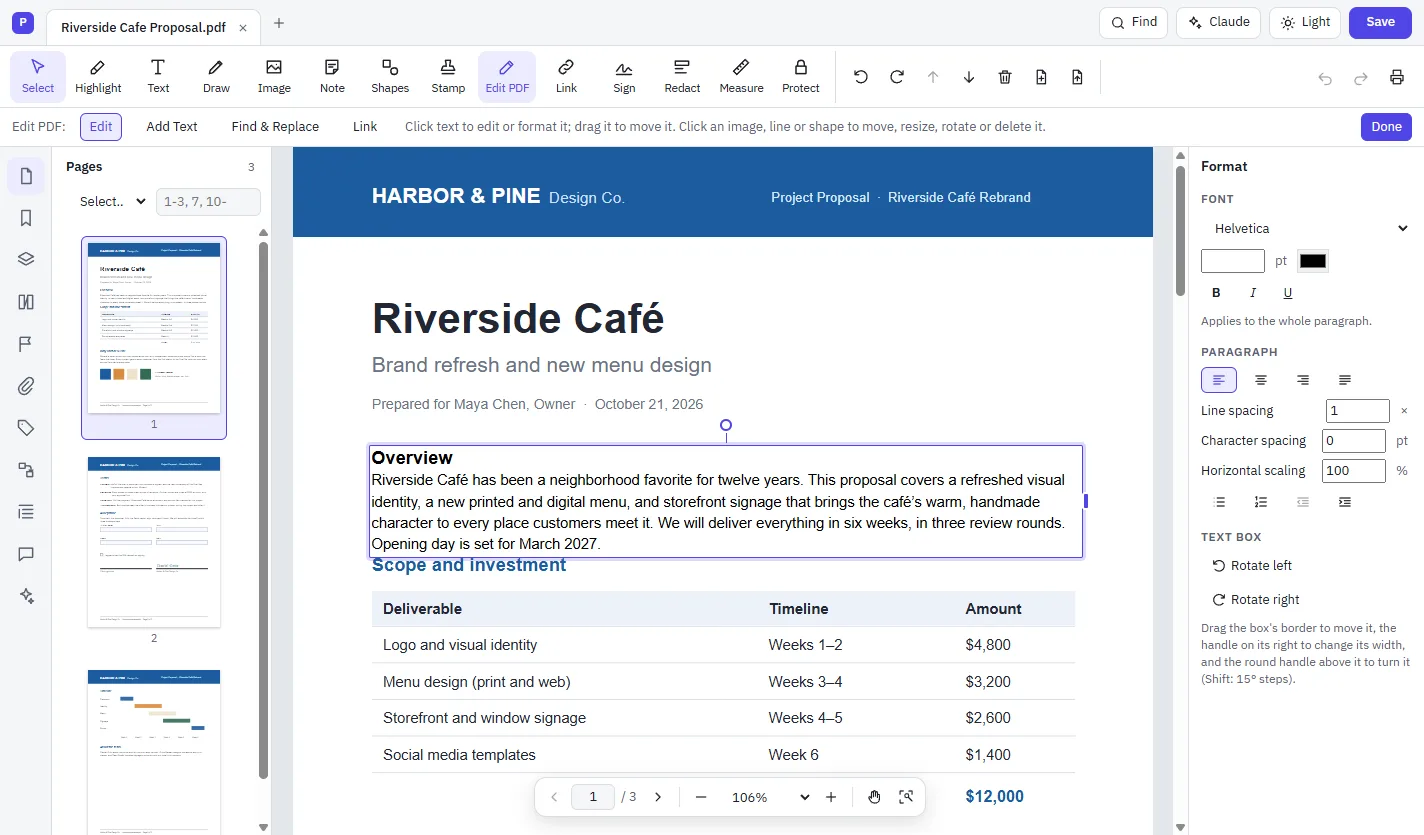
Edit text right on the page.

Click any paragraph and type. Your changes are set in the document's own font, and the text below moves to make room.

  • Change fonts, sizes, colors, alignment and spacing
  • Move, resize and rotate text boxes, pictures and shapes
  • Find and replace across the whole document
  • Edit vertical Japanese, Chinese and Korean text
Edit PDF mode with a paragraph being edited and the Format panel showing font and paragraph settings
AI assistant

Ask for a change. Approve it.

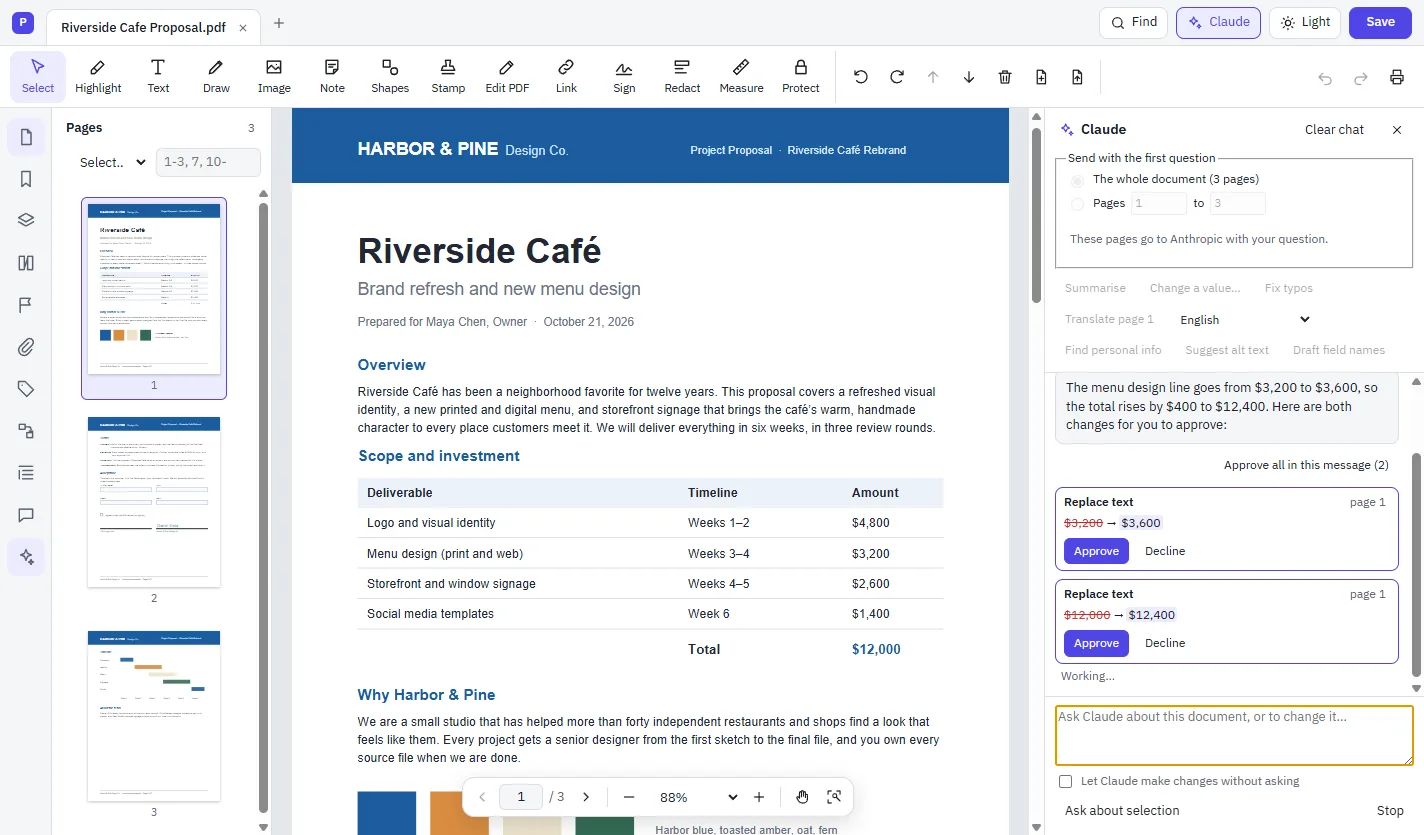
Ask Claude or ChatGPT about your document, or ask it to change something. Each change is shown as a card to approve or decline, and Undo takes it back.

  • Summarize, explain or translate a page or a selection
  • Fix a figure and keep totals consistent
  • Find personal information to redact and suggest alt text
  • Connect Claude Desktop, Claude Code, claude.ai or ChatGPT to PDF Studio's tools
The Claude sidebar proposing two text replacements, $3,200 to $3,600 and $12,000 to $12,400, each with Approve and Decline buttons
Fill & Sign

Fill in forms and sign them.

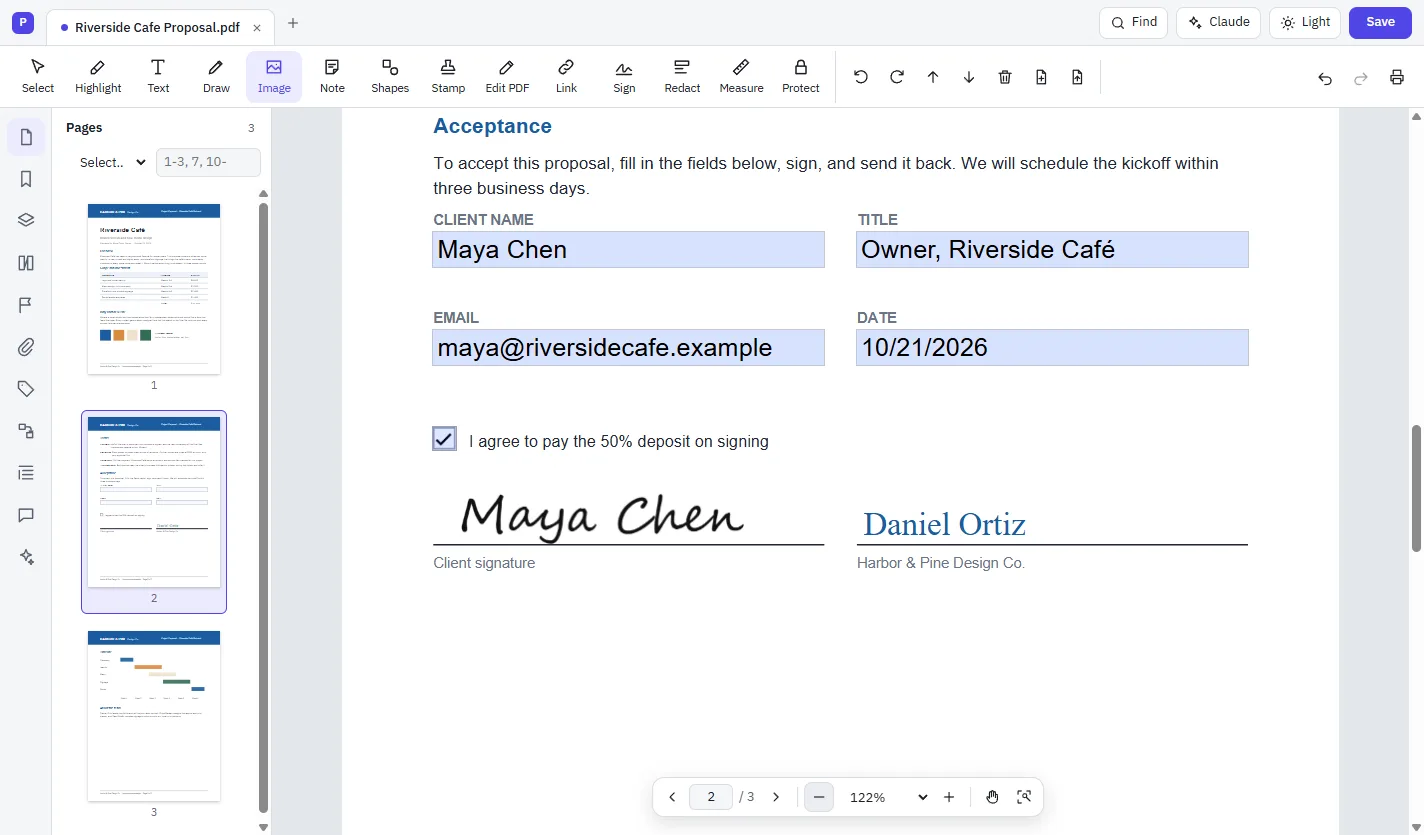
Type into form fields, tick boxes, and place your signature, initials and today's date. When a signature has to be verifiable, sign with a digital ID.

  • Typed, drawn or picture signatures, saved for next time
  • Certificate signatures (PAdES) with timestamps and long-term validation
  • Smart cards and digital IDs from the Windows certificate store
  • Validate signatures and check certificates for revocation
A proposal's acceptance page with name, title, email and date filled in, a checked box and a signature
Comment & review

Give feedback with comments.

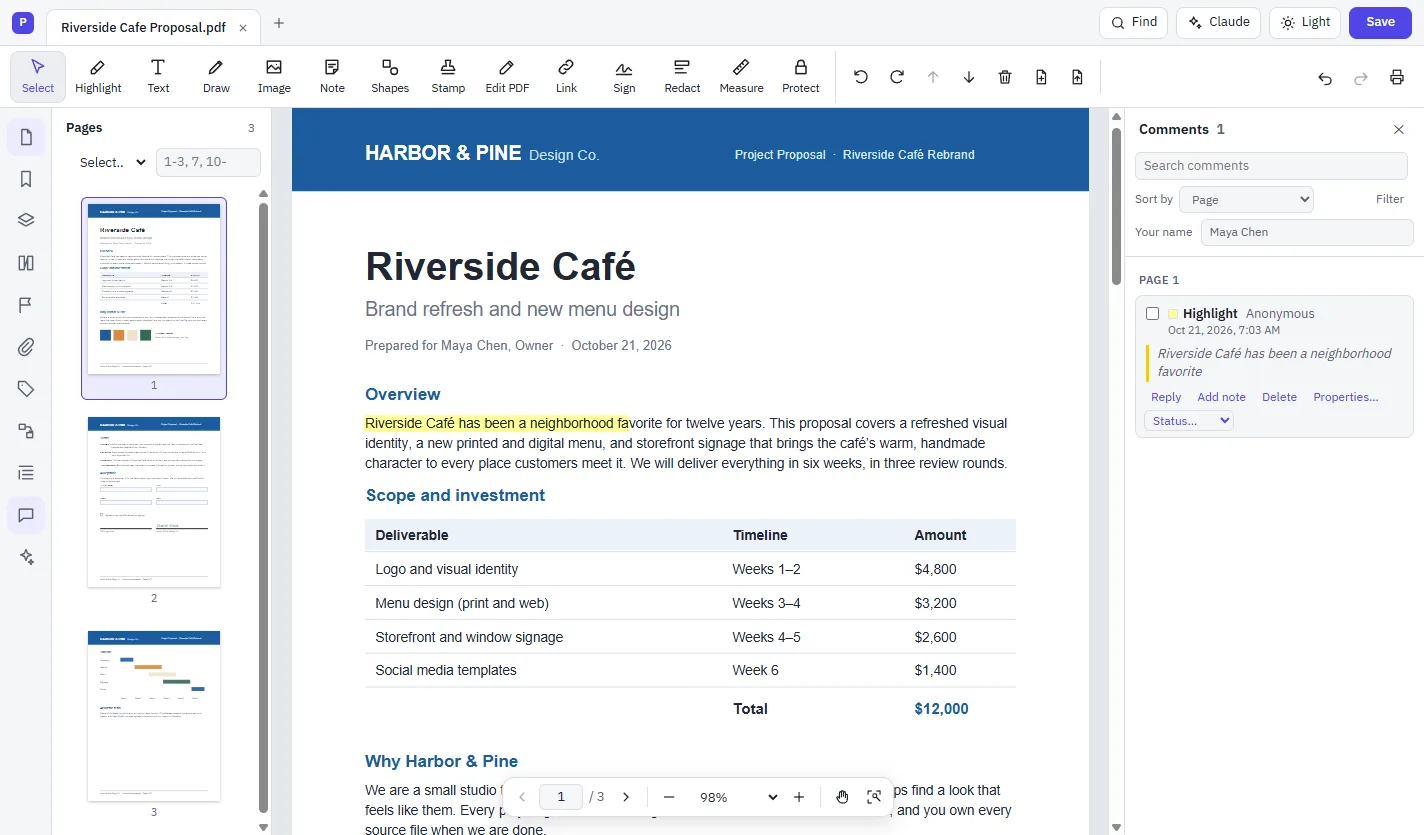
Highlight text, add sticky notes, draw shapes and clouds, mark text to insert or replace, or record a voice note. Every comment appears in one panel.

  • Reply, set a review status and add checkmarks
  • Sort and filter by page, author, type, color or status
  • Import and export comments as FDF or XFDF
  • Print a comment summary
Highlighted text on the page and the Comments panel listing it with Reply, Add note and Status controls
Organize pages

Put every page in its place.

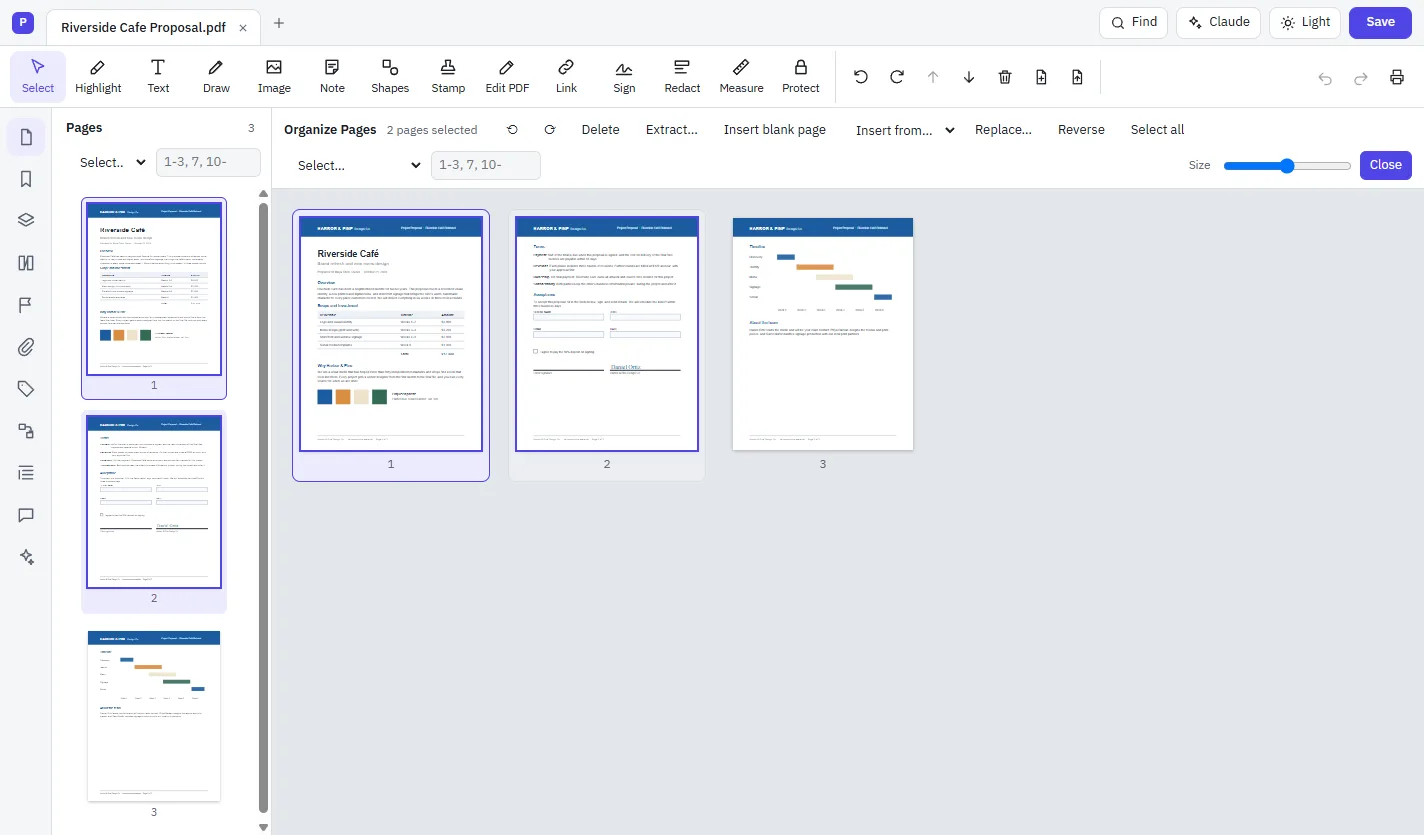
See all your pages in a grid, then drag to reorder, or select pages and rotate, delete, extract or replace them.

  • Insert blank pages, other PDFs, scans, web pages or the clipboard
  • Split a document and combine several into one
  • Crop pages, set page labels and reverse the order
  • Select odd, even, portrait or landscape pages, or type a range
The Organize Pages grid showing three page thumbnails and buttons to rotate, delete, extract, insert and replace
Redact

Remove sensitive content for good.

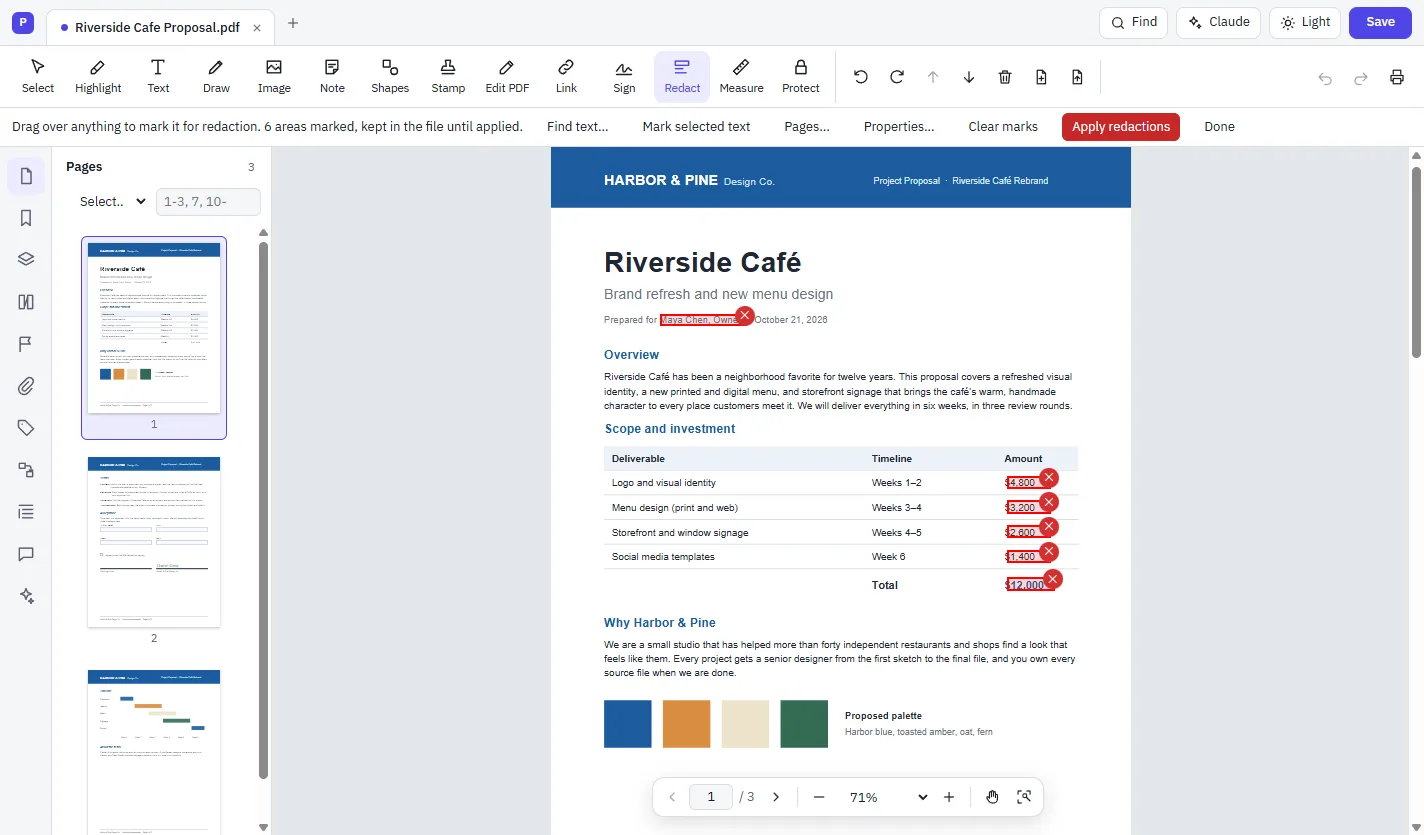
Redaction deletes the text and image data underneath, not just covers it, so nothing can be copied or recovered afterwards.

  • Drag over anything, or search for words, dates and patterns
  • Redact whole pages, odd or even pages, or a range
  • Overlay text and FOIA or Privacy Act redaction codes
  • Remove hidden information: metadata, scripts, layers and more
Red redaction marks over the client name and every amount in a pricing table, with an Apply redactions button
Scan & OCR

Make scanned pages searchable.

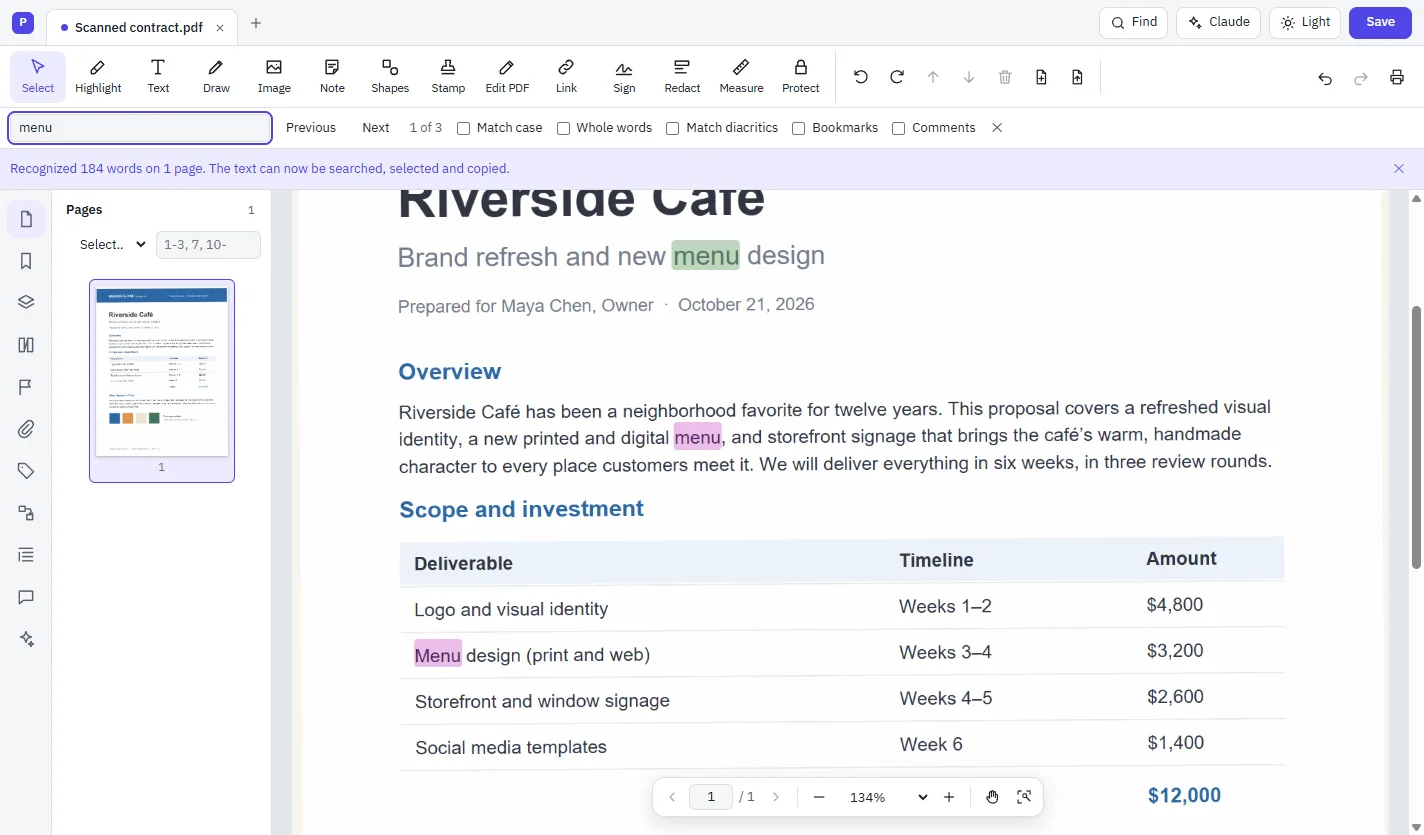
Text recognition turns a scan into text you can search, select, copy and even edit, in many languages.

  • Scan straight from your scanner or document feeder
  • Straighten, clean up and auto-rotate scanned pages
  • Edit recognized text like any other text
  • Reduce file size with the PDF optimizer
A scanned page after recognition with the word menu highlighted three times by Find, and a notice that 184 words were recognized
Compare

See exactly what changed.

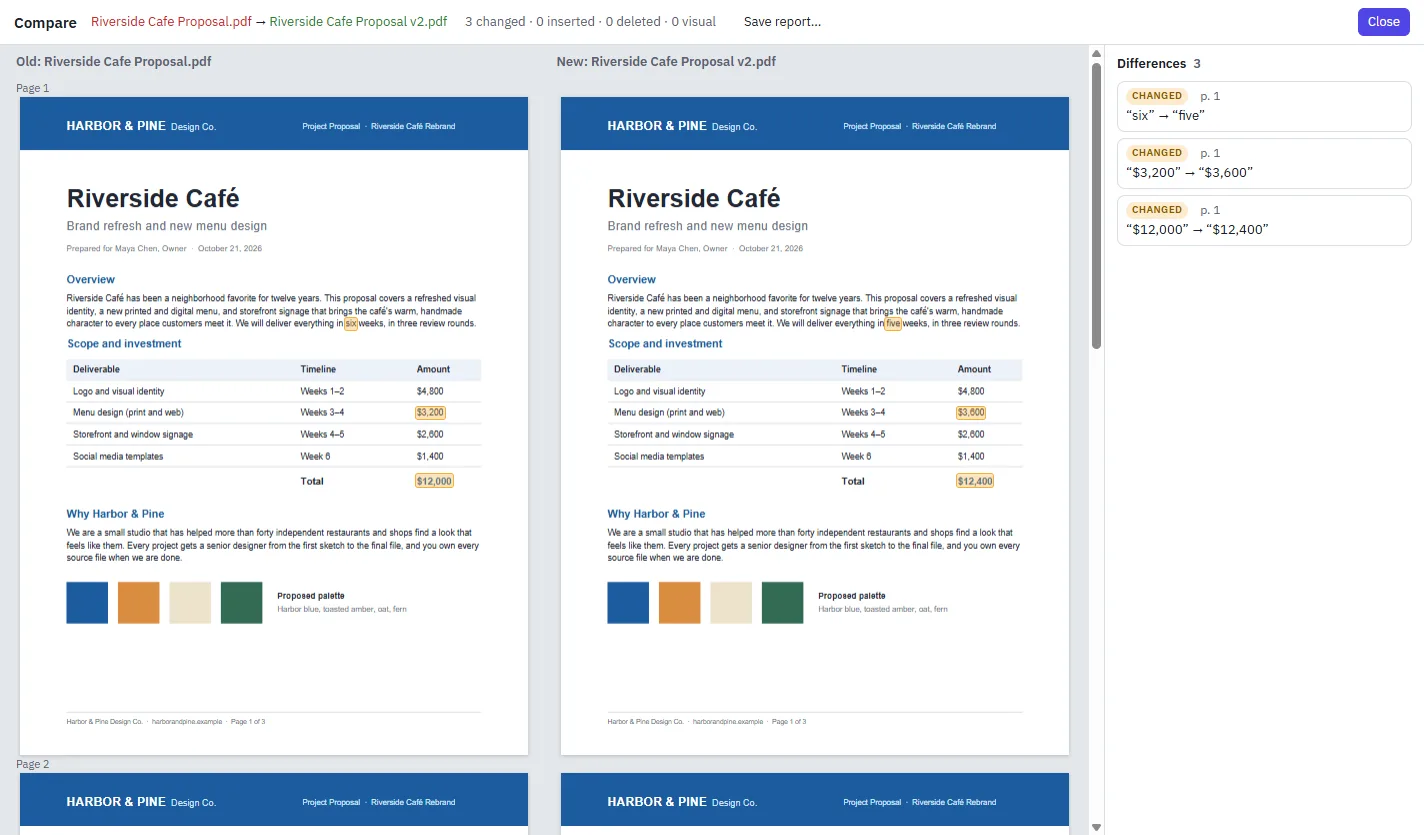
Put two versions side by side. Changed words, new text, formatting changes, comments and visual differences are listed and marked on both.

  • Jump to each difference from the list
  • Catches font and size changes, not just words
  • Save the comparison as a PDF report
Compare view with the old and new proposal side by side and a list of three changed values
Forms

Build forms people can fill in.

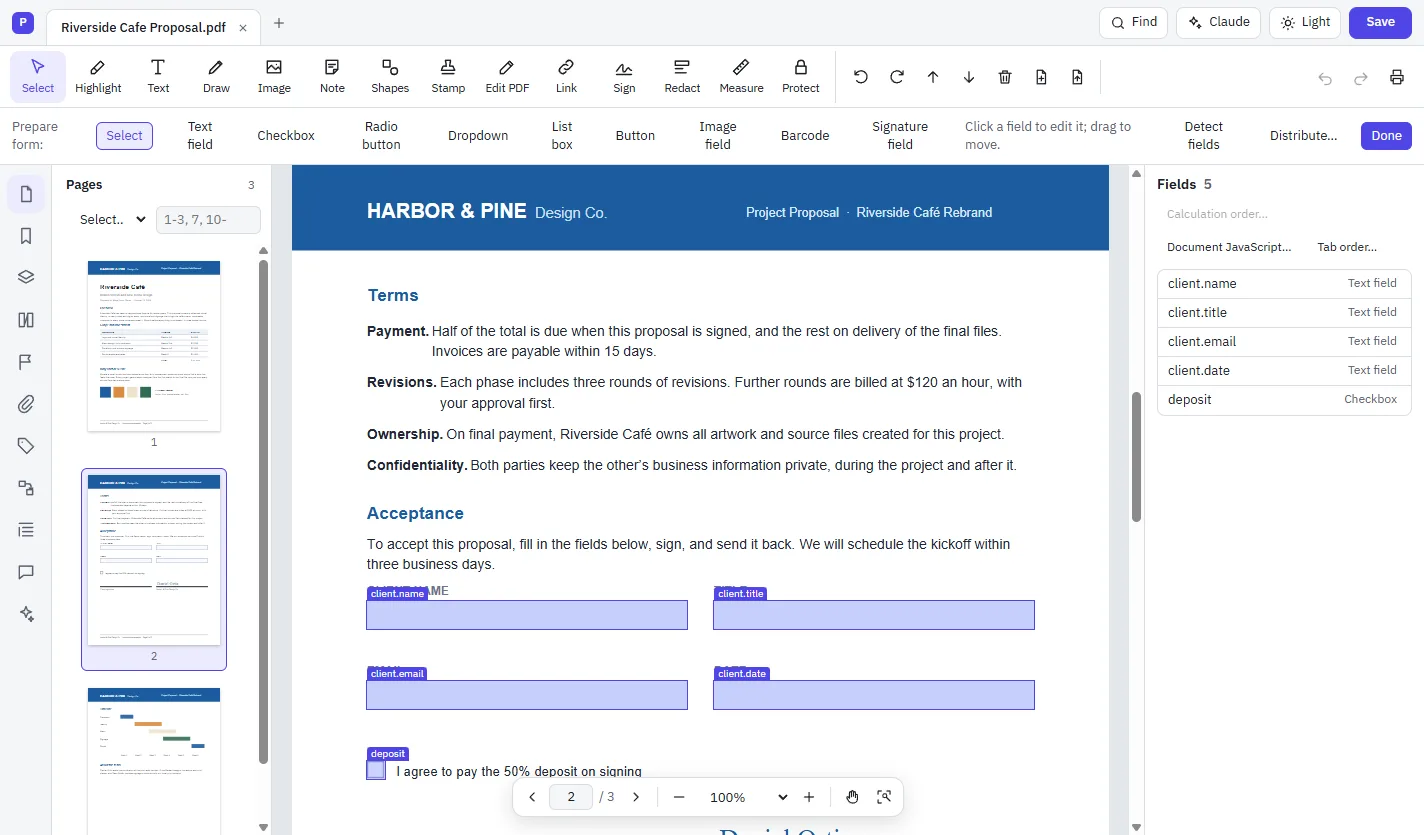
Add fields by hand or let PDF Studio detect them on a flat form, then set formats, calculations and validation.

  • Text fields, check boxes, radio buttons, drop-downs, list boxes, buttons and image fields
  • Barcodes (QR Code, PDF417, Data Matrix) that update as the form is filled
  • Signature fields, tab order and field actions
  • Send a form by email and collect the responses in a spreadsheet
Prepare Form mode with labelled form fields on the page and a Fields list
Documents

Write Word documents in the same app.

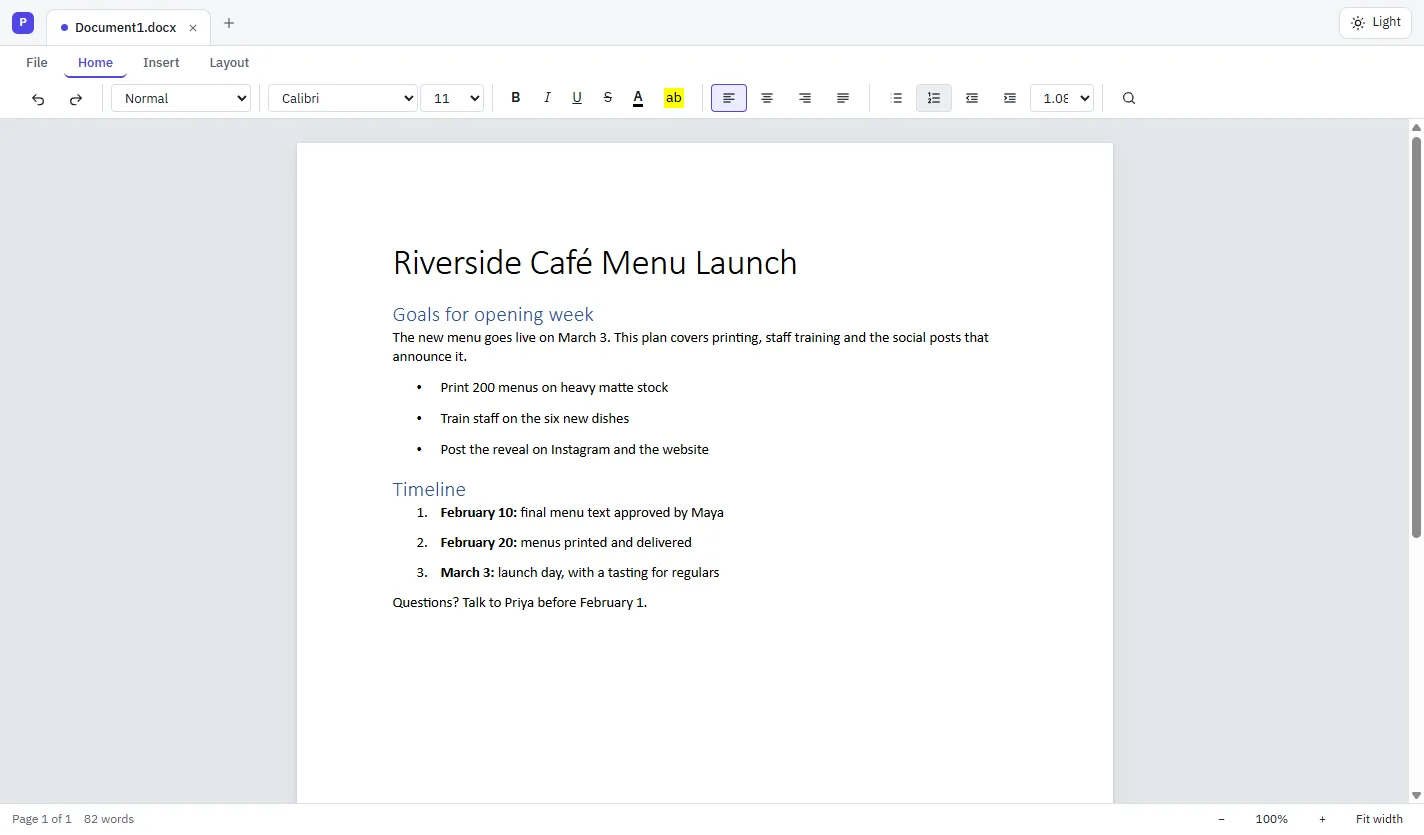
PDF Studio includes a Word-compatible editor. Open, write and save .docx files, laid out page by page the way Word lays them out.

  • Styles, fonts, colors, bullets and numbered lists
  • Tables, pictures, page breaks, margins and orientation
  • Find and replace, undo and redo
  • Word opens what you save
The Documents editor with a ribbon and a page containing a title, headings, bullet points and a numbered timeline

And there's more.

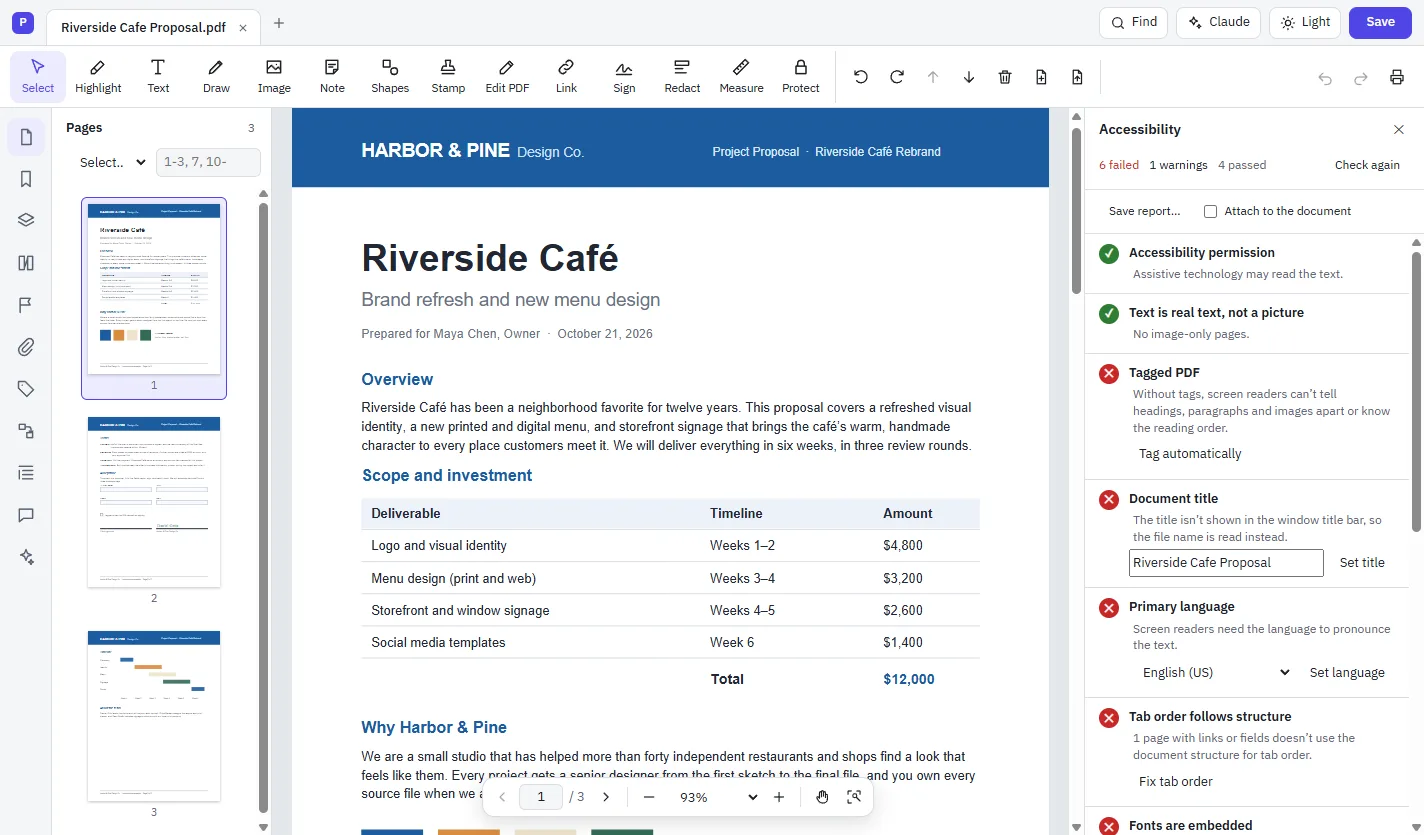
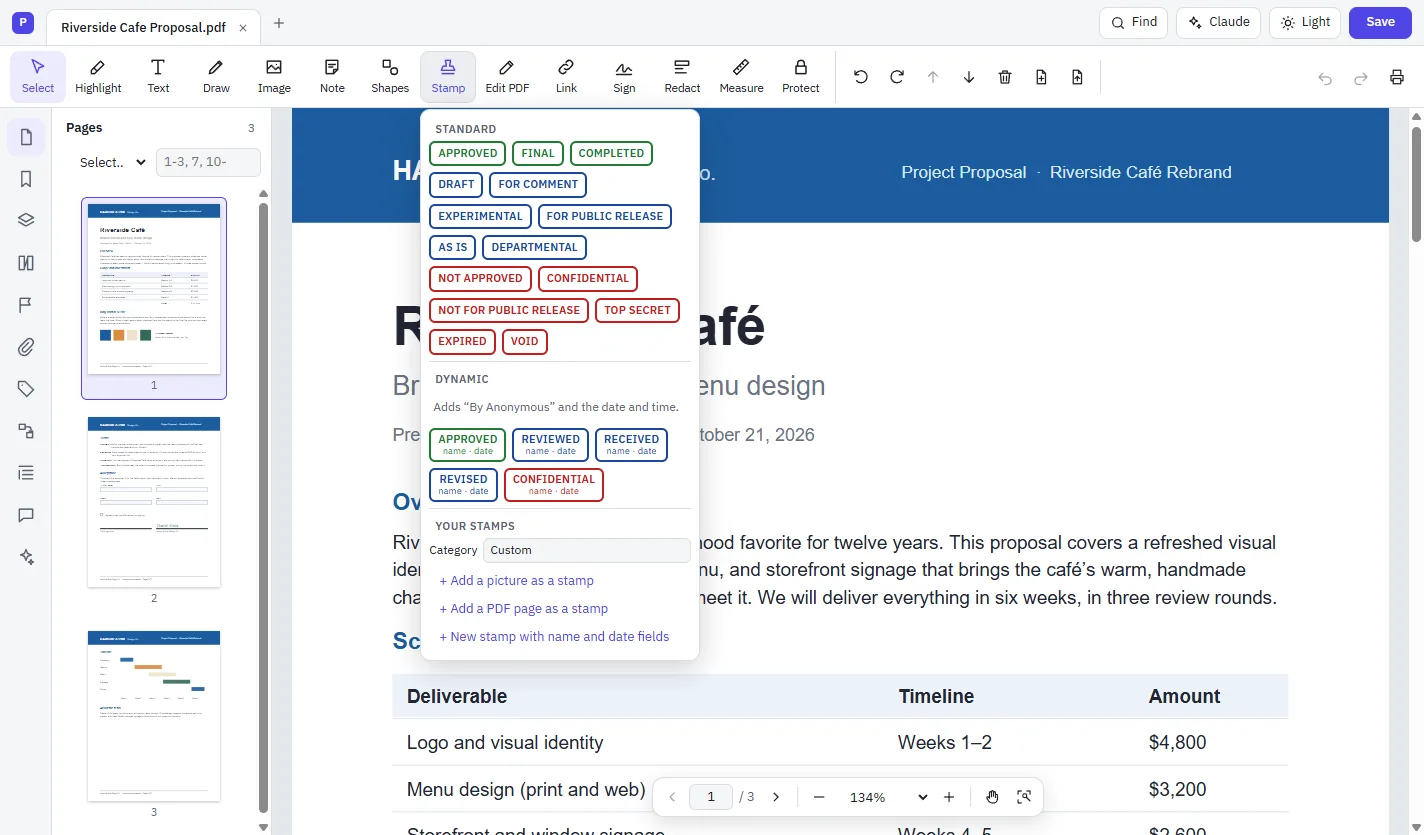
Security, accessibility, stamps and a dark theme, built in.

How to edit a PDF

Four steps, whatever you're changing.

Open your file

Choose Open a file, or drop a PDF, Word document or other Office file onto the window.

Pick a tool

Choose Edit PDF, Highlight, Sign, Redact or any other tool from the toolbar.

Make your changes

Click and type, drag, or ask the assistant. Undo takes back any step.

Save or share

Choose Save, export to another format, or email the document from the File menu.

Made for documents that matter.

Private by default.

Your documents are opened and saved on your own computer. Nothing is sent anywhere unless you use a feature that says so, like asking the AI assistant a question.

Files that work everywhere.

PDF Studio is built from the PDF standard. What it saves opens correctly in Acrobat, Preview, Chrome and Firefox, and its PDF/A and PDF/UA output is checked with the veraPDF validator.

Professional tools included.

Print production, archiving standards, batch actions and automation are part of the same app, ready when your work needs them.

Every tool in PDF Studio

One app, organized the way you work.

Convert from PDF

  • PDF to Word
  • PDF to Excel
  • PDF to PowerPoint
  • PDF to Rich Text Format
  • PDF to HTML, XML and accessible text
  • PDF to JPG, PNG and TIFF
  • PDF to PostScript and EPS
  • Export every embedded image

Convert to PDF

  • Word, Excel and PowerPoint to PDF
  • Images to PDF
  • Web page to PDF, following its links
  • Scanner and document feeder to PDF
  • Clipboard to PDF
  • Combine files into one PDF
  • PDF Portfolios

Edit

  • Edit text and images
  • Add text, images, shapes and links
  • Headers, footers and watermarks
  • Page backgrounds
  • Bookmarks and named destinations
  • Layers and articles
  • Video and sound

Pages

  • Organize, reorder and rotate pages
  • Insert, extract, replace and delete pages
  • Split a PDF
  • Crop pages and set page boxes
  • Page labels
  • Reverse page order

Review

  • Highlights, notes and drawing
  • Shapes, clouds, lines and arrows
  • Stamps, including your own
  • Compare two versions
  • Spell check comments and fields
  • Measure distances and areas, on maps too

Forms

  • Fill in forms
  • Prepare forms and detect fields
  • Calculations, formats and validation
  • Barcode fields
  • Import and export form data
  • Distribute forms and track responses

Sign & protect

  • Fill & Sign
  • Digital signatures and timestamps
  • Validate signatures
  • Password and certificate security
  • Redact text, images and pages
  • Remove hidden information

Scan & optimize

  • Recognize text (OCR) in many languages
  • Optimize scanned pages
  • Reduce file size
  • PDF Optimizer
  • Fast Web View

Accessibility

  • Accessibility check and report
  • Automatic tagging
  • Reading order and tags
  • Read Out Loud
  • Reflow
  • PDF/UA

Print production

  • Preflight with fixes
  • Output Preview and separations
  • Convert colors and ICC profiles
  • PDF/X, PDF/A, PDF/E and PDF/VT
  • Printer marks and trapping
  • Booklets, posters and n-up printing

Automation

  • Action Wizard
  • Batch actions on files and folders
  • Full-text index and Advanced Search
  • JavaScript console

AI

  • Claude assistant
  • ChatGPT assistant
  • Connect AI apps to PDF Studio

Questions? We have answers.

What is PDF Studio?

PDF Studio is a full PDF editor from MyCloudSuites. It views, edits, signs, comments on, organizes, protects, redacts and converts PDFs, and it includes Documents, an editor for Word files, in the same window.

Can I edit the text that's already in a PDF?

Yes. Choose Edit PDF, click a paragraph and type. PDF Studio sets your changes in the document's own font when it can, or in a font installed on your computer, and moves the text below so nothing overlaps.

Can I edit a scanned document?

Yes. Run Recognize Text (OCR) first. The scan becomes searchable, selectable text, and you can then edit it with Edit PDF like any other text.

Which file types can I convert?

You can turn PDFs into Word, Excel, PowerPoint, Rich Text Format, HTML, XML, plain text, JPG, PNG, TIFF, PostScript and EPS. You can make PDFs from Word, Excel and PowerPoint files, images, web pages, your scanner and the clipboard. Office conversions use Microsoft Office or LibreOffice if one is installed on your computer.

Are my documents uploaded anywhere?

No. PDF Studio opens and saves files on your own computer. The only time a document leaves it is when you ask the AI assistant a question, and the assistant shows you which pages it will send before it sends them.

How does the AI assistant work?

Open the Claude panel and ask a question or request a change. It can answer with links to the pages it used, and every change it proposes waits for you to approve it. Use Claude with your own API key, or sign in with your ChatGPT plan.

Will my PDFs open in other apps?

Yes. PDF Studio is built from the PDF standard, ISO 32000-2, and the files it saves open correctly in Adobe Acrobat, Apple Preview, Chrome and Firefox.

Can I sign documents legally?

You can sign with a digital ID, using certificate-based signatures in the PAdES format, with timestamps and long-term validation. You can also use digital IDs on smart cards through the Windows certificate store. Whether a signature meets a particular legal requirement depends on where you are and what you're signing.

Which computers does it run on?

PDF Studio is a desktop app for Windows today. A version that runs in your browser is coming to mycloudsuites.com.
One app for every PDF.

PDF Studio is coming to your browser at mycloudsuites.com. Until then, explore what it can do.